1
1-59 Installing EFI Fiery Mail Port
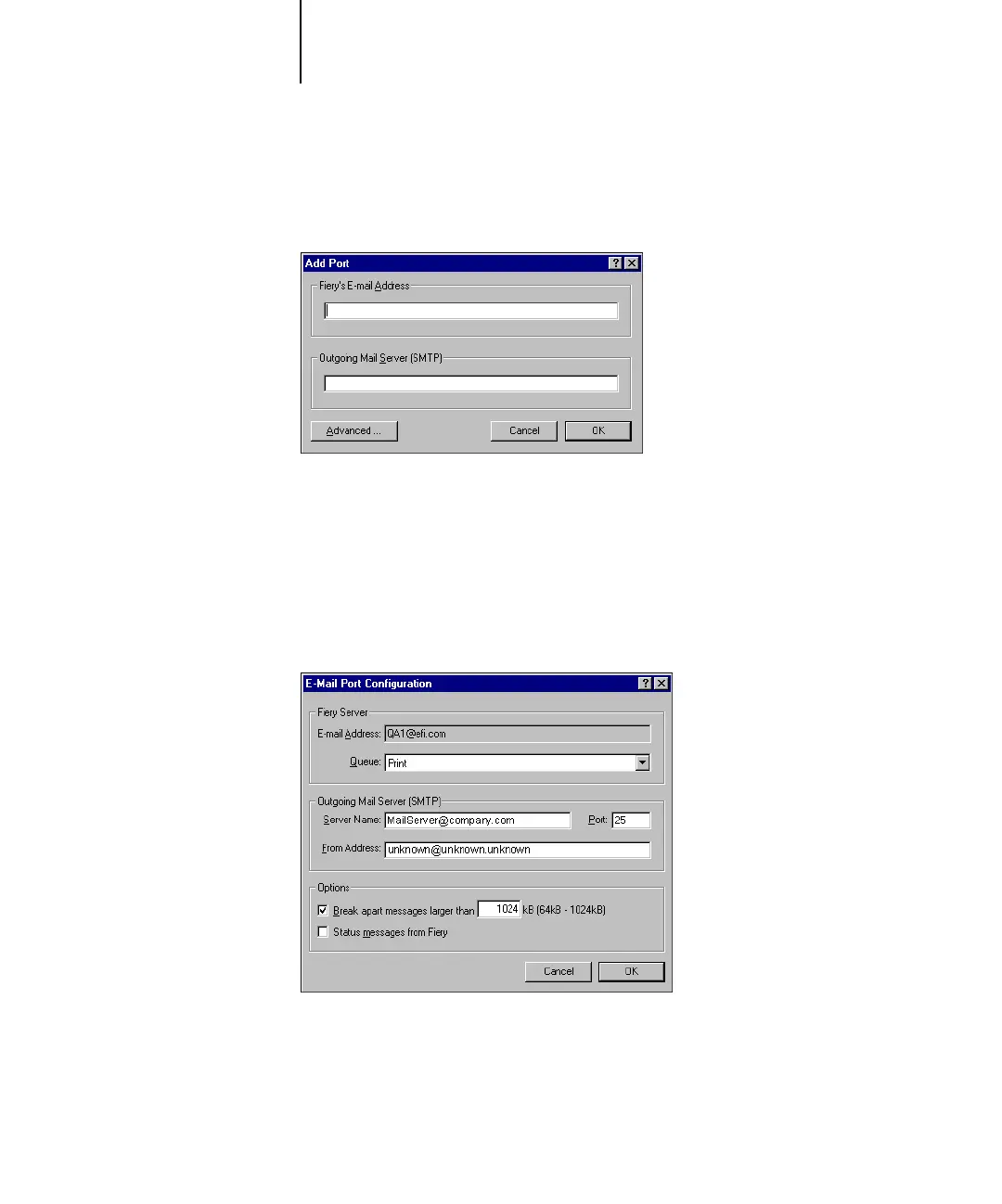
5. Select EFI Fiery Mail and click New Port.
The Add Port dialog box appears.
6. Enter the basic information required to set up the e-mail port.
Fiery’s E-mail Address
—Enter the e-mail address of the Fiery X3e.
Outgoing Mail Server—Enter the name or IP address of the SMTP server for the port
monitor to use.
7. Click Advanced.
The E-Mail Port Configuration dialog box appears.



 To Next Page