EasyManua.ls Logo

Fiil CC nano - User Manual

Fiil CC nano
17 pages
Print Icon
To Next Page IconTo Next Page
Loading...
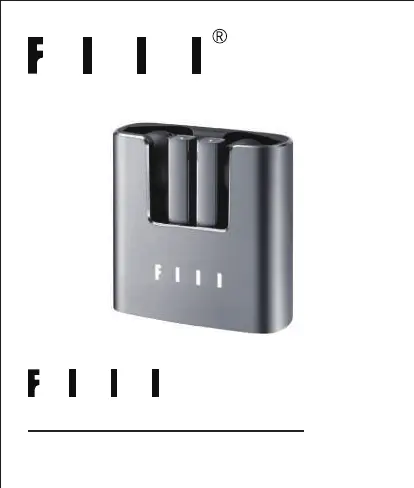
TRUE WIRELESS EARBUDS
USER MANUAL
CC nano

Questions and Answers

Summary

Important Safety Instructions

Health and Safety Precautions

Safety guidelines for product use, volume, driving, children, and medical device interaction.

Product Care and Maintenance

Instructions for keeping the product dry, clean, and using approved accessories.

Battery Safety Warnings

Risks associated with the lithium polymer battery and proper charging methods.

Specifications and Disclaimer

fiil+ App Download and Usage

Guide to downloading and utilizing the fiil+ App for earbud configuration.

Whats Included

Main User Interface Overview

Earbud Components

Identification of LED indicator, microphone, and touch control on the earbud.

Charging Case Components

Identification of charging ports and indicators on the charging case.

Getting Started and Usage

Initial Setup

Steps for initial activation, including film removal and charging.

How to Wear the Earbuds

Guidance on proper earbud fit for stability and optimal call performance.

Bluetooth Connectivity

Bluetooth Pairing Process

Steps to pair the earbuds with a device for the first time or re-pairing.

Establishing the Connection

Instructions for connecting the earbuds to a mobile device via Bluetooth settings.

Multipoint Bluetooth Functionality

Enabling Multipoint Mode

Procedure to activate the multi-point connection feature using the fiil+ App.

Connecting a Second Device

Steps to connect the earbuds to an additional mobile device.

Touch Controls - Basic Operations

Powering On and Off

Methods for turning the earbuds on and off.

Managing Calls

Instructions for answering and ending phone calls via touch.

Touch Controls - Advanced Functions

Rejecting Incoming Calls

How to reject a call using touch gestures.

Music Playback Control

Instructions for playing and pausing music using touch controls.

Activating Voice Assistant

Procedure to activate Siri or other voice assistants.

Touch Controls - Customization

Volume and Track Control

Using touch gestures for volume adjustment and track skipping.

Earbud Reset Procedure

Steps to manually reset the earbuds if they encounter issues.

Understanding Charging Indicators

Explanation of LED indicators for charging status.

Product Specifications

Warranty and Support Information

Fiil CC nano Specifications

General IconGeneral
Driver TypeDynamic
Bluetooth Version5.2
Battery Life (with Case)30 hours
Charging PortUSB-C
Water ResistanceIPX4
TypeTrue Wireless
Frequency Response20 Hz - 20 kHz
Charging Time (Earbuds)1.5 hours
Charging Time (Case)2 hours
CodecsSBC, AAC
MicrophoneYes
Touch ControlsYes
Voice AssistantYes
Active Noise CancellationNo
Ambient ModeNo
Impedance16Ω

Related product manuals