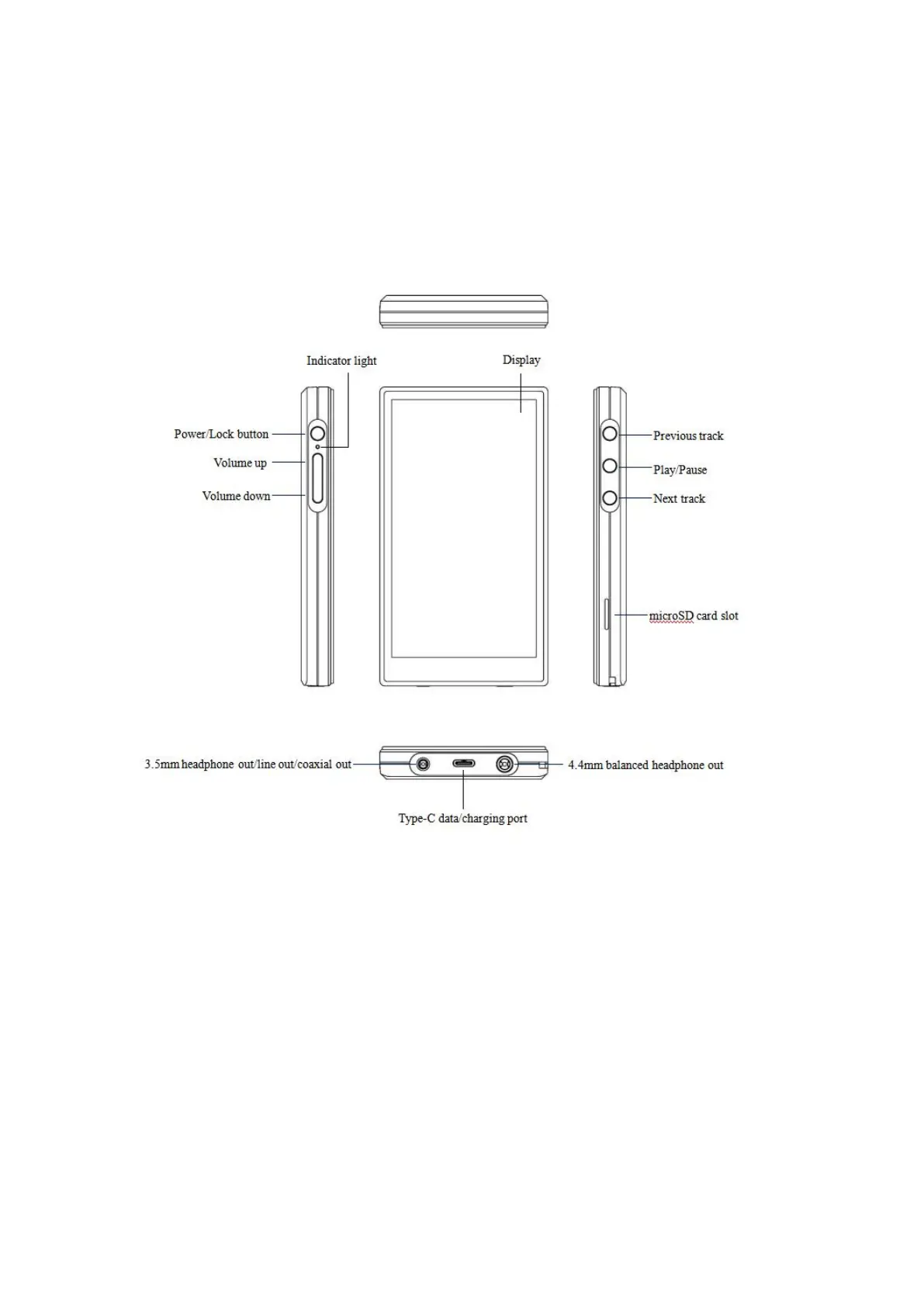
Buttons and ports
1. Pictorial guide to buttons and ports
(Pictures are for reference only)
2. Instructions for buttons and ports
1) Power/Lockscreen: Hold the Power/Lock button to turn on the JM21.
On its first startup, tap the preferred language onscreen to enter the
main UI. Hold the Power/Lock button while the JM21 is on and a
shutdown dialogue will pop up. You can select to turn off or reboot the
player.
2) Previous track: short press to play the previous track; long press to
rewind.



 To Next Page