12
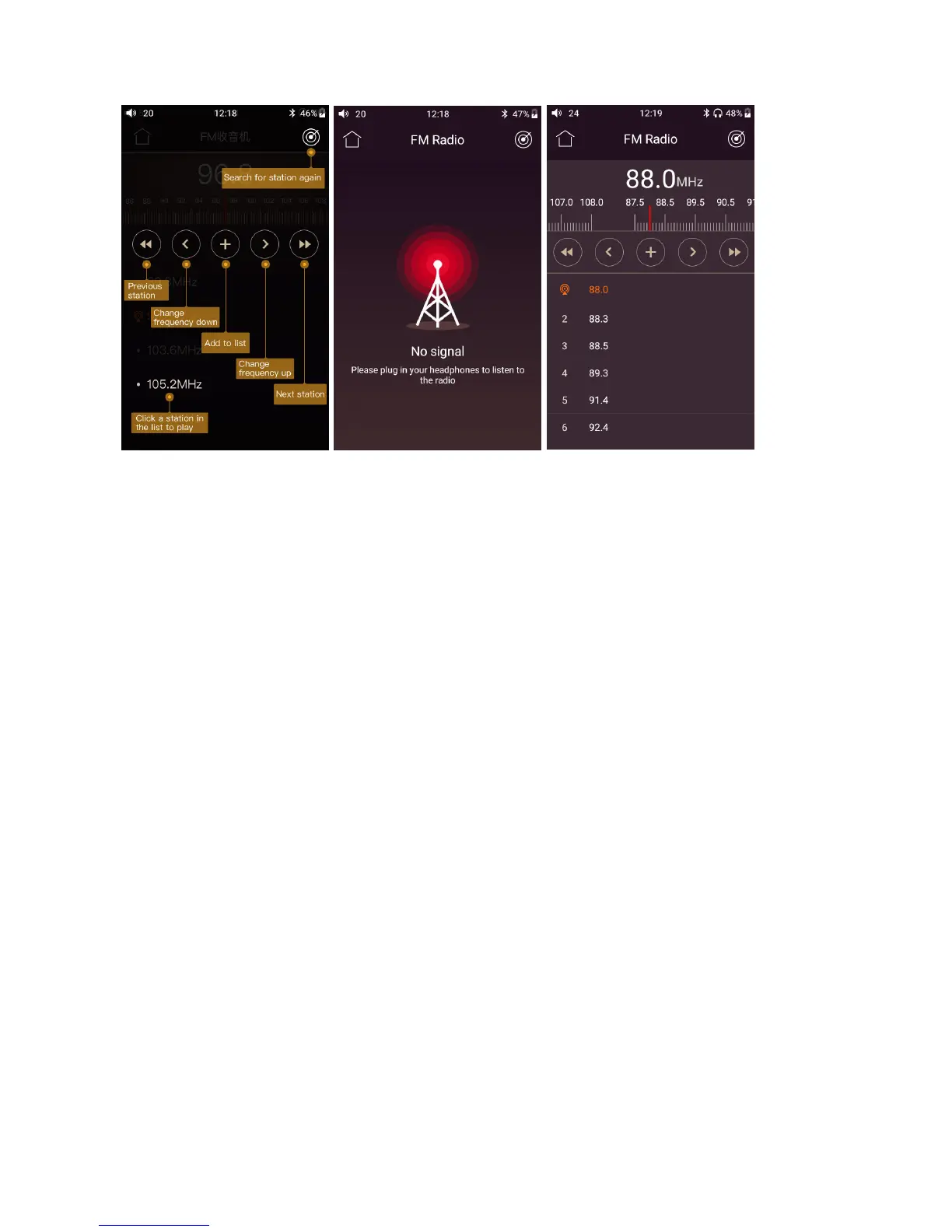
2) Swipe up from the bottom-left area of the FM interface to exit FM radio; Swipe up from the
bottom-right area or tap the Main menu icon at the top left corner to back to Main menu and keep
FM playing in the background.
●Firmware Update
Here is the steps of upgrading the M7:
1. Download the firmware from FiiO official website, such as “M7-ota-1.0.4.zip” ,and copy this
firmware file to the root directory of your micro SD. Note that the file should not be unzipped, and
you are recommended not to modify the file name.
2. Press “Technical Support >Firmware Update>Local upgrade” accordingly, locate the firmware file
in the “Local upgrade” interface, and then choose the firmware file.



 To Next Page