4. Function menu
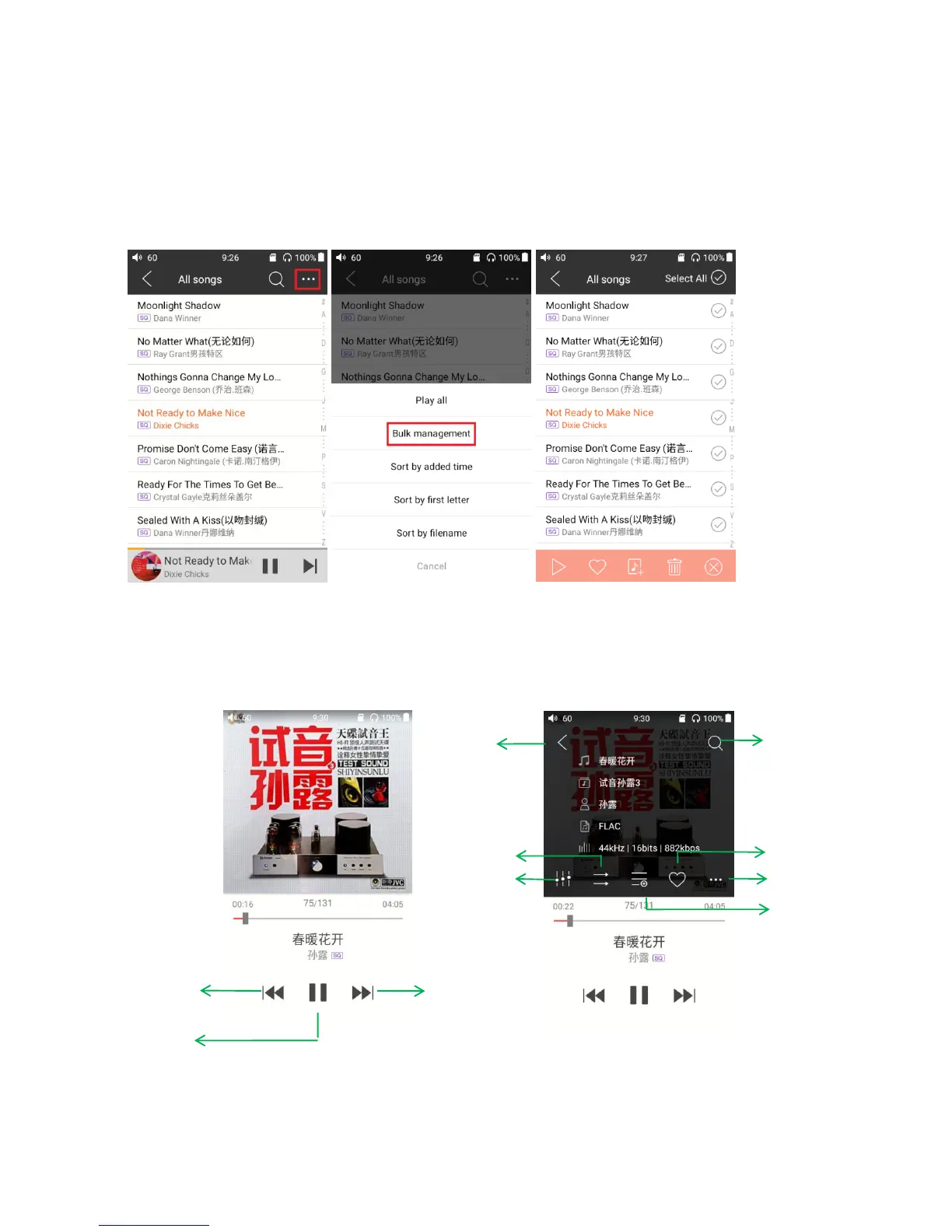
Tap the shortcuts icon of function menu, the following functions can be performed.
Selected sort order: sort by added time, sort by first letter, sort by filename.
Bulk management: batched playback, batched adds to my favorite, batched add to playlist,
batched delete, exit batch operation
5. Now playing
The Now Playing screen support frequently used taps and cool gesture actions, as below:



 To Next Page