28
/
40
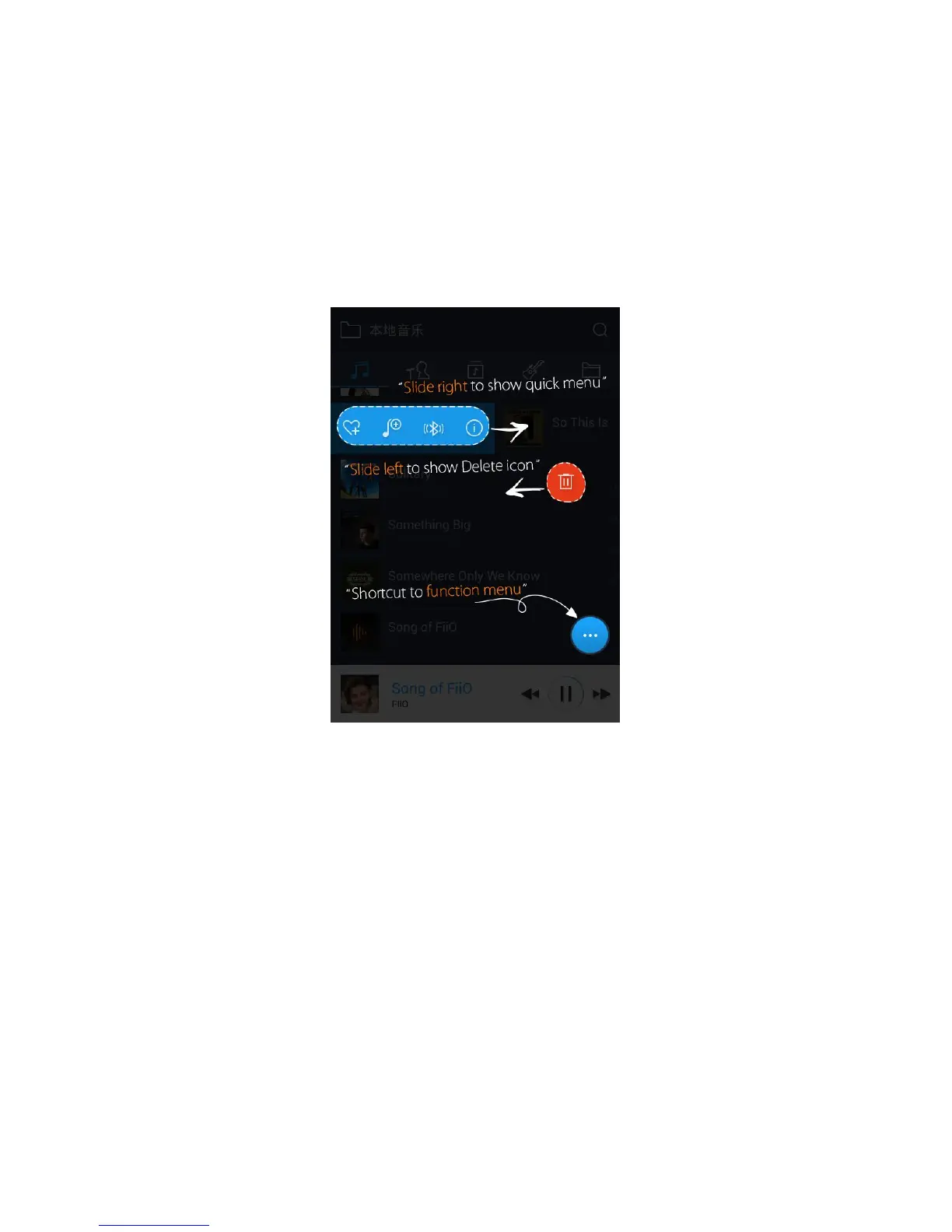
Sliding your finger right over a list item reveals four options. From left to right they are:
Add to favorites: add the song or the songs contained in the list item to the Favorites playlist.
Add to playlist: add the song or the songs contained in the list item to a playlist of your choosing.
Play over Bluetooth: play the song or the songs contained in the list item over Bluetooth.
Track Info (only shown when a particular song / track is selected): shows various info on the selected
track, including ID3 tag info, song length, bitrate, etc.
Sliding your finger left over a list item reveals an option to delete the item. (or format a drive, if “internal storage” or
“SD card” is selected in folder view…) Tap on the red button and you will be prompted to confirm the delete action.
a) Alphabet scrolling
When the list is ordered by alphabet (tap the blue circle to the lower right and select the “A->Z”
option), you can slide your finger over the alphabet list to the right of the screen and quickly jump to the
part of the list that starts with the selected letter.
b) The blue circle at the lower right
Tap the blue circle at the lower right and you’ll be given various options:



 To Next Page