the track. Tap on the gear icon at the lower right of the lyrics display to show additional options
such as font size.
Slide to fast forward / rewind: tap anywhere on the progress bar below the album cover area to jump to
the corresponding part of the track now playing;
View playlist: slide in from left edge to view the current list of songs queued for play; tap any song on the
list to jump to that song;
Tap outside of the playlist on the left to close the list;
Adjust volume: slide up / down on the right edge of the album cover area to adjust the volume.
No operation for 2s or click
“
Back
”
button, it can hide the volume adjustment window.
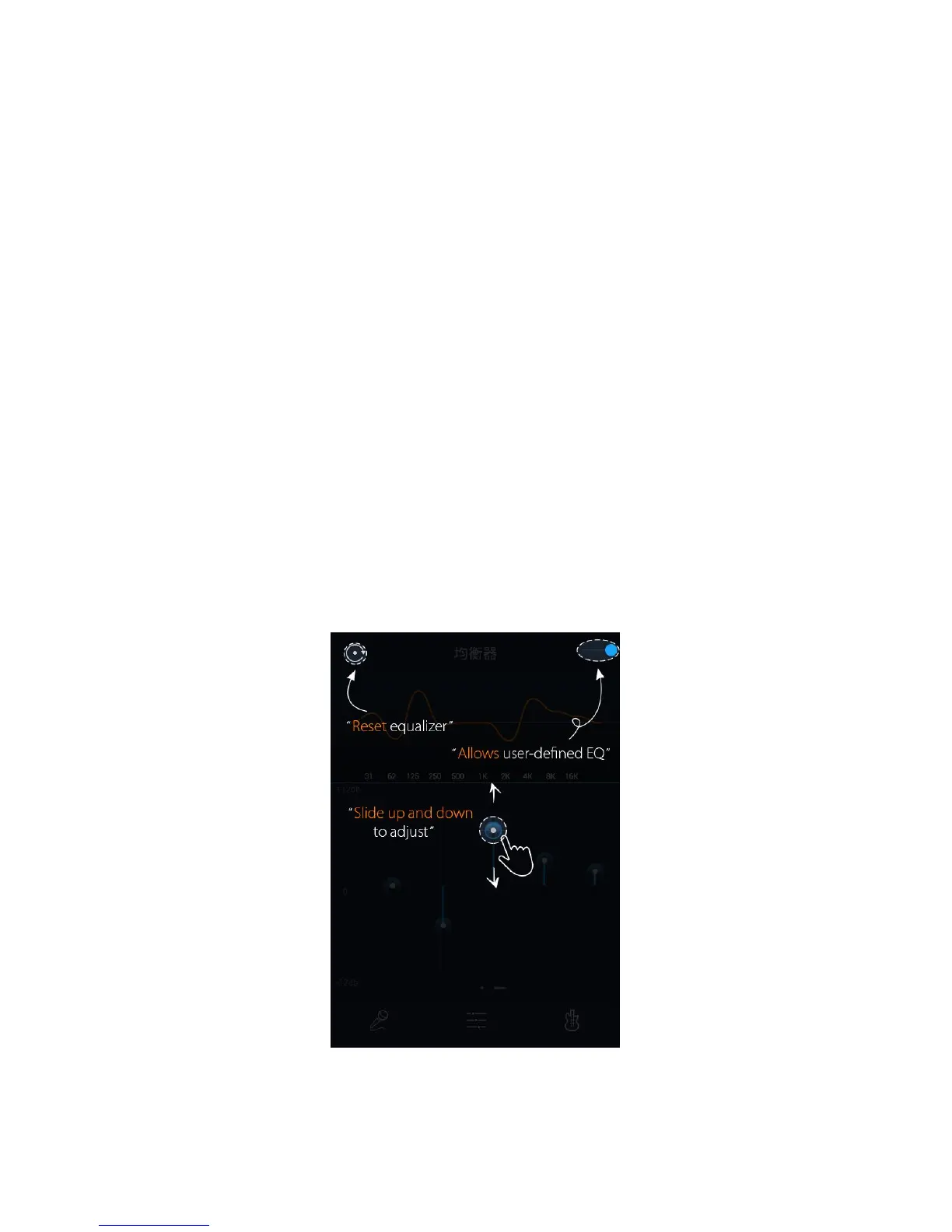
FiiO Music incorporates a graphic equalizer. One may choose between the given genre presets
directly, or adjust the ten frequency bands from 31 to 16000Hz independently from -6 to +6 dB, thus
satisfying your personalized listening needs and adapting to your listening equipment.
Slide the lever on the upper right to the right to activate the equalizer.



 To Next Page