3) Equalizer: tap to open the equalizer control panel;
4) Play via Bluetooth: button to toggle between playing the present track through Bluetooth or wired
headphones. Opens Bluetooth pairing screen if no Bluetooth audio devices are connected (see
section D.1);
5) Play / Pause: Plays / pauses the present track, whichever is applicable;
6) Add to Favorites: Tap to add the present track to the Favorites playlist;
7) More functions: Tap to view track info or delete the present track;
8) Play mode: Tap to choose between Play All once, Loop Single, Shuffle and Loop All;
11) Add to playlist: adds the present song to a playlist of your choosing.
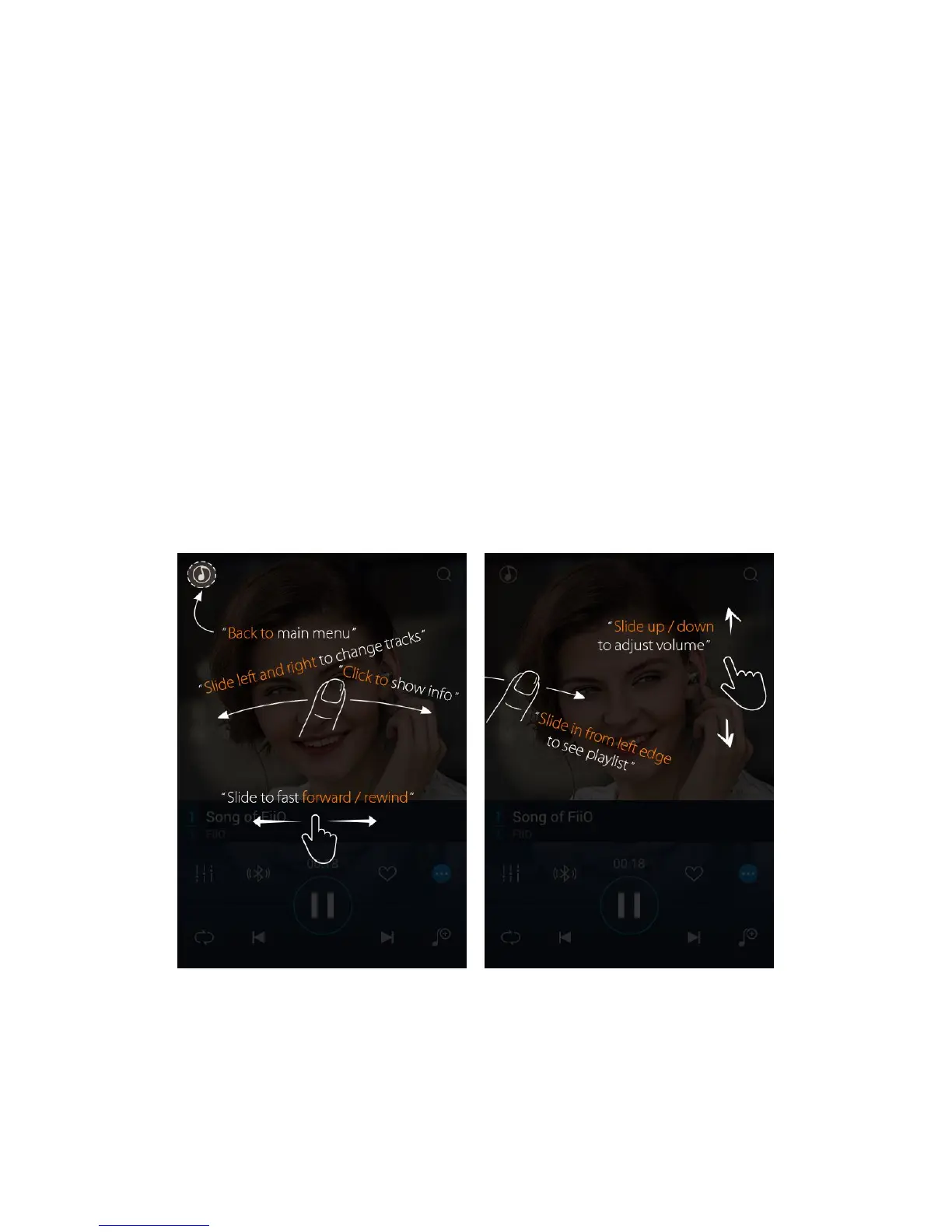
b) Gesture operations
Slide left and right on the album cover to change tracks;
Click on the middle of the album cover to switch between displaying the album cover, lyrics, ID3 info and
VU meter;



 To Next Page