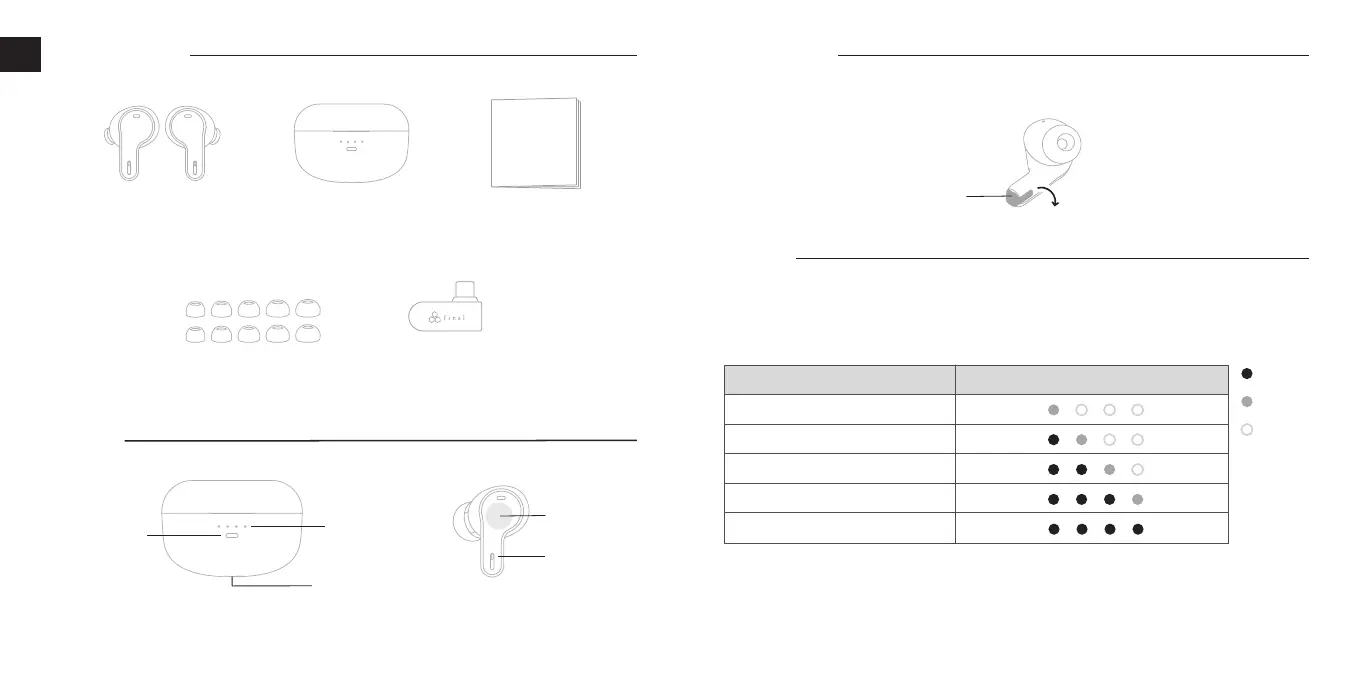
LED
Indicator
Touch Control
Panel
USB Charging
Port
Definition
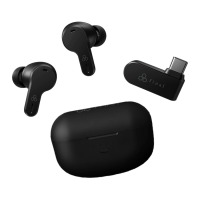
Charging Case Quick Manual
Silicone Ear Tips
(final Type E for True Wireless)
Ultra Low Latency
USB-C Transceiver
VR3000 Wireless
Earbuds
2 3
LSS S M L L
Quick Manual
Charging
* The charging cable is not included.
Recommended USB Charging Specification
USB Charger: Capable of supplying an output current of 0.5A (500mA) or higher
USB Cable: USB Type-C cable that compliants with USB standards
Getting Started
Remove the left and right earbuds from the charging case and peel off the insulation stickers
attached to them.
Insulation
Sticker
Package Contents
EN
Pairing Button
LED
Indicators
Charging the charging case:
Please charge the charging case according to the recommended USB charging specification
below. While charging, the LED indicator on the charging case will light up according to the battery
level, as shown in the table below.
ON
Blinking
OFF
LED Indicator of the Charging Case
Charging Case Battery Level
0
〜
25
%
26
〜
50
%
51
〜
75
%
76
〜
99
%
100
%


 To Next Page