8 9
Music
Phone
Voice Assistant
Play / Pause
Raise Volume
Lower Volume
Next Track
Beginning of the Current
Track / Previous Track
*1
Cycle between ANC /
Ambient / Off
final_VR3000 Wireless
Pairing with Bluetooth
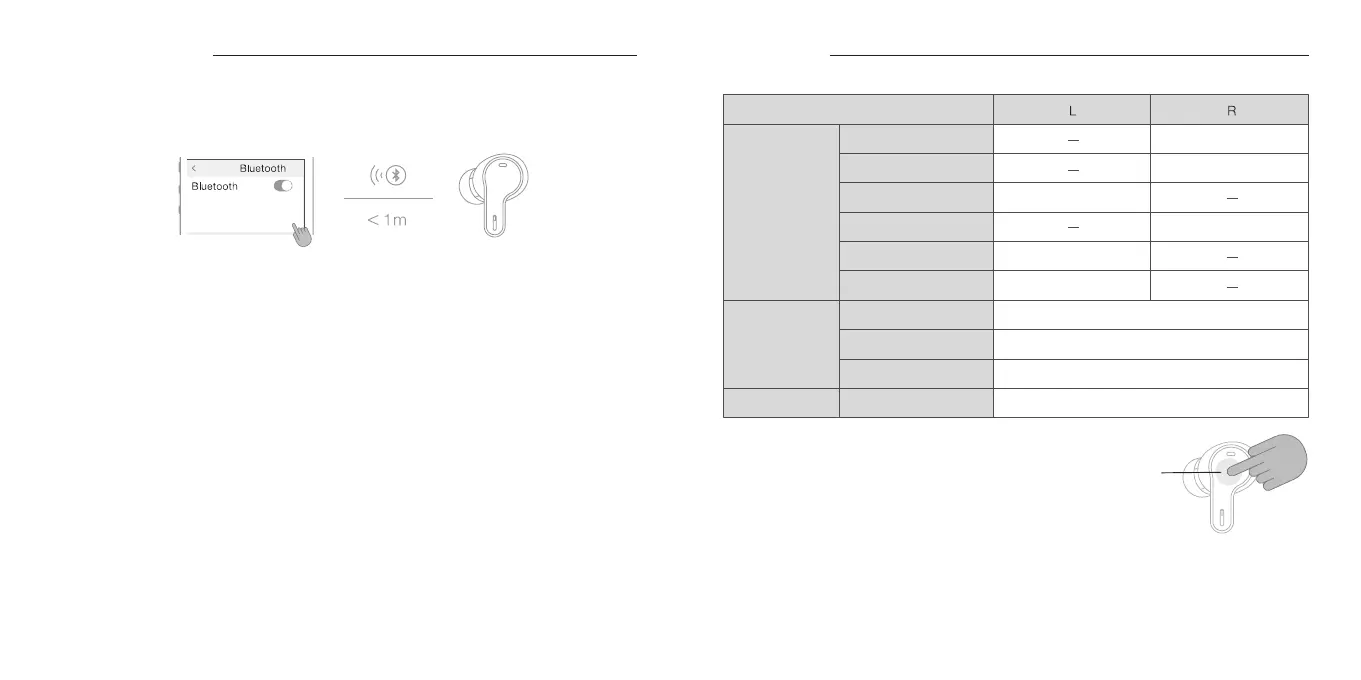
To connect the earbuds to your smartphone or other devices initially, it is necessary to perform
device pairing. For devices which have been performed with the device pairing, the Bluetooth
connection will automatically be established the next time the power is switched ON if they are in
close distance.
First-time pairing:
1. Open the lid of the charging case, and the power of the earbuds will turn ON automatically and
switch to pairing mode. At this point, when you remove the earbuds from the charging case, one
of the LED Indicators will blink alternately in Blue and Red.
2. Turn ON the Bluetooth function on your smartphone or other device, and select “final_VR3000
Wireless” when it appears on the screen. When the screen on the connecting device displays
“final_VR3000 Wireless Connected *1,” pairing is complete.
For re-pairing or pairing with a second or other device:
1. Open the lid of the charging case and ensure the earbuds are inside. Press the pairing button on
the charging case twice to enter pairing mode. When you remove the earbuds from the charging
case, one of the LED indicators will blink alternately in Blue and Red.
2. Turn on the Bluetooth function on your smartphone or other device, and select “final_VR3000
Wireless” when it appears on the screen. When the connecting device’ s screen displays
“final_VR3000 Wireless Connected *1,” the pairing is complete.
*1: The display may vary depending on the smartphone or device being used.
* This product supports multi-pairing and can register up to 8 devices. Once paired, switching
between connections and Bluetooth playback will be seamless.
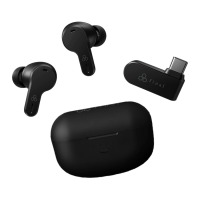
* When using the Ultra Low Latency USB-C Transceiver, Bluetooth pairing and connection are not
possible. Please disconnect the transceiver before pairing or connecting via Bluetooth.
Touch Control
Answer Call *2
End Call *2
Refuse Call *2
Initiate *3
Single Tap
Double Tap
Triple Tap
Tap 5 Times
Triple Tap
Triple Tap
Single Tap
Single Tap
Double Tap
Double Tap
*3: Depending on the device to which connected, this function may not be available.
*1: Performing at the start of a track will return the playback to the
previous track. Performing in the middle of a track will return the
playback to the beginning of the current track. While the
playback is in the middle of a track, please perform the control
twice in succession to return to the previous track.
*2: This feature is not supported during ultra low latency wireless
connection.
Touch
Control
Panel
Setting
Device


 To Next Page