19
CONTENTS
3
4
1 2
3
4
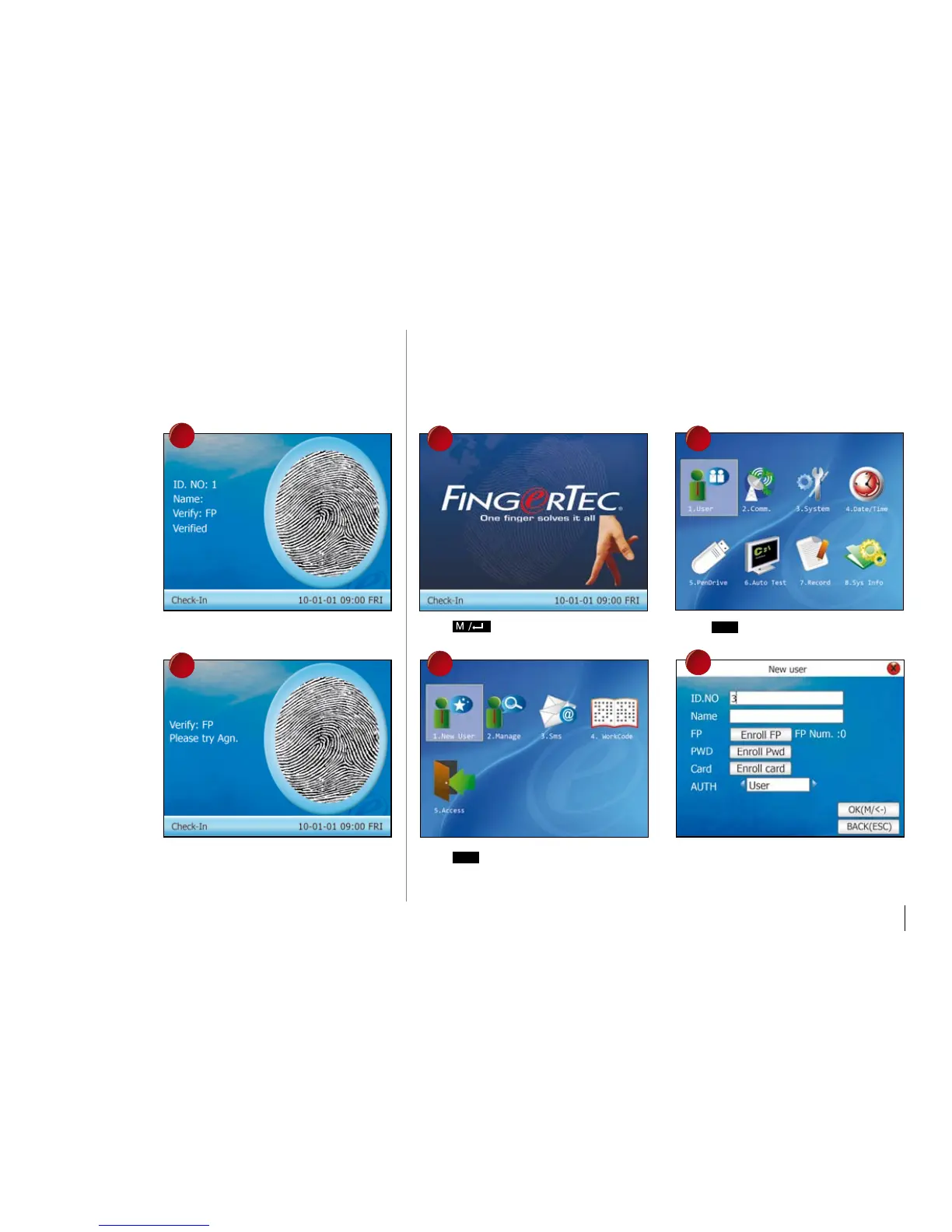
The terminal verifies user, displays the ID
and prompts “Verified”.
If verification failed, the terminal prompts,
“Try again please!”
paSSWORD ENROLLmENT
For user who cannot enroll his fingerprint, he can choose to use passwords. Follow the
steps below:
Press once. Press
Ok
once.
Press
Ok
once. Assign user ID using keypads, for example 3.



 To Next Page