32
CONTENTS
7
9
8
10
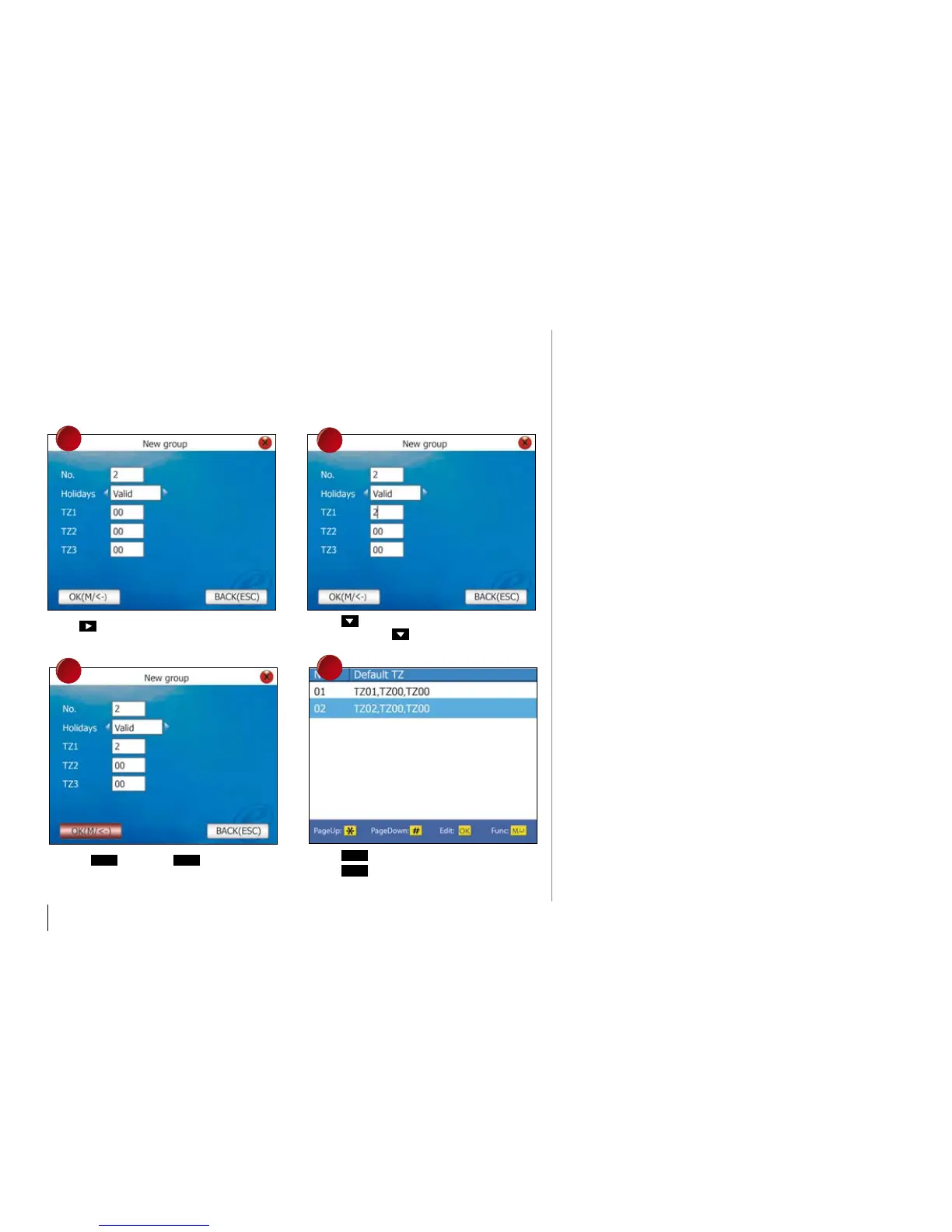
Press to choose Holiday as Valid.
Move to
Ok
and press
Ok
to save setting.
Press and enter TZ into the column.
Repeat to press to next column for next
the time zone.
Press
Ok
once to confirm.
Press
4 times to return to main menu.
DEFINITION OF
USER aCCESS SETTINGS
User Access Options is to process correla-
tive setting according to user’s requirements.
ENTER aCCESS OpTIONS mENU
TO CHECk USER’S aCCESS
User Access Options include user grouping
setting, use group time zone and user time
zone.
GROUpING divides registered users into
several groups making them
managable.
USE GROUp TImE zONE is whether the
user uses default time zone of the belonged
group.
USER TImE zONE is for user to set us-
er’s unlocking time, and select number of time
zone already being set.



 To Next Page