55
CONTENTS
5
9
6
10
11
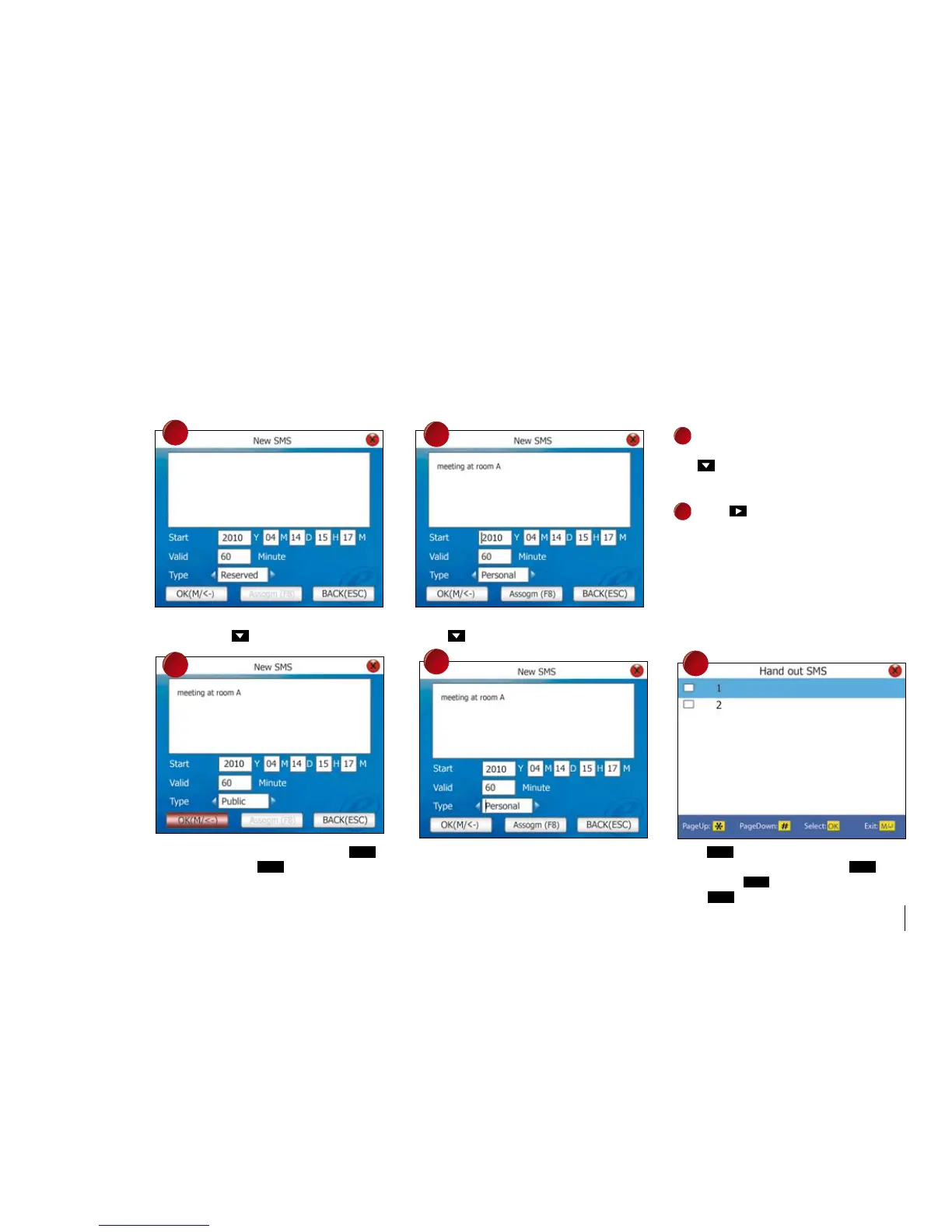
Enter the contents of short message by T9 input Enter the start time for message to be displayed.
method. Press to proceed. Press to proceed.
7
Enter the valid time for message to be
viewed, for example 60 minutes. Press
to proceed.
8
Press to choose recipient of the
message.
Public: Message display to all users
after verification.
Personal: Message only display to
selected users only.
Reserved: Message saved but not
display to any users.
If Public or Reserved is selected, press
Ok
to If Personal is selected, press F8 to proceed. Press
Ok
to choose user to display message.
save settings. Press
3 times to return to You can choose multi users. Press
once
the main menu. to exit. Press
Ok
once to save settings.
Press
3 times to return to the main menu.



 To Next Page