Installation and Removal
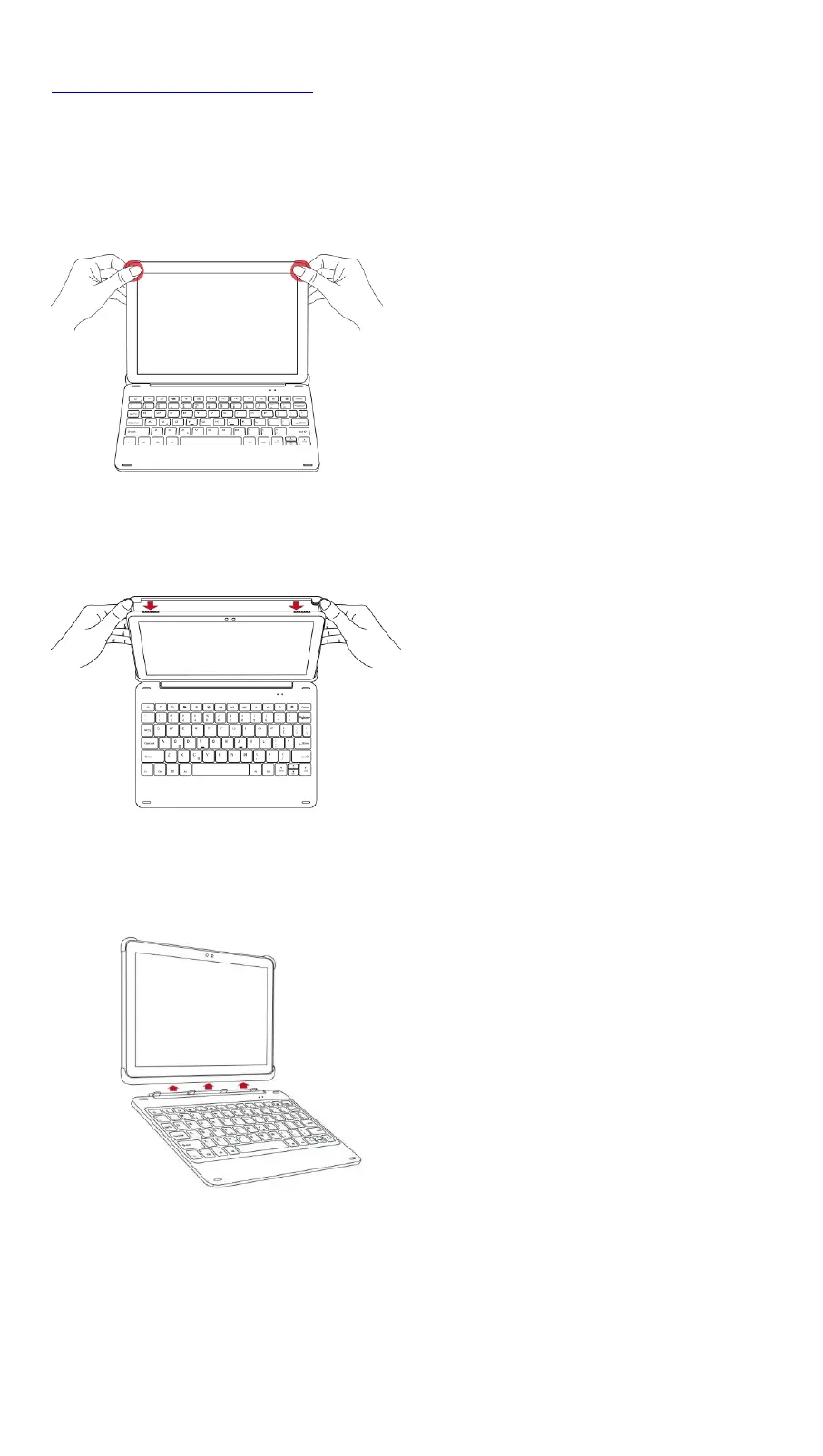
Install your device:
a. Press the bottom half of your device into the case and apply light pressure to
snap it into place.
b. Then press the top half of your device into the case and check each corner to
make sure your device is seated properly.
Remove your device:
a. Hold tablet on both sides and use thumbs to GENTLY push off the back cover.
b. Proceed GENTLY to peel cover.
c. Take tablet out.
Detaching keyboard:
The keyboard and back cover are designed to allow separation. They attach
together magnetically.


 To Next Page