Product Overview
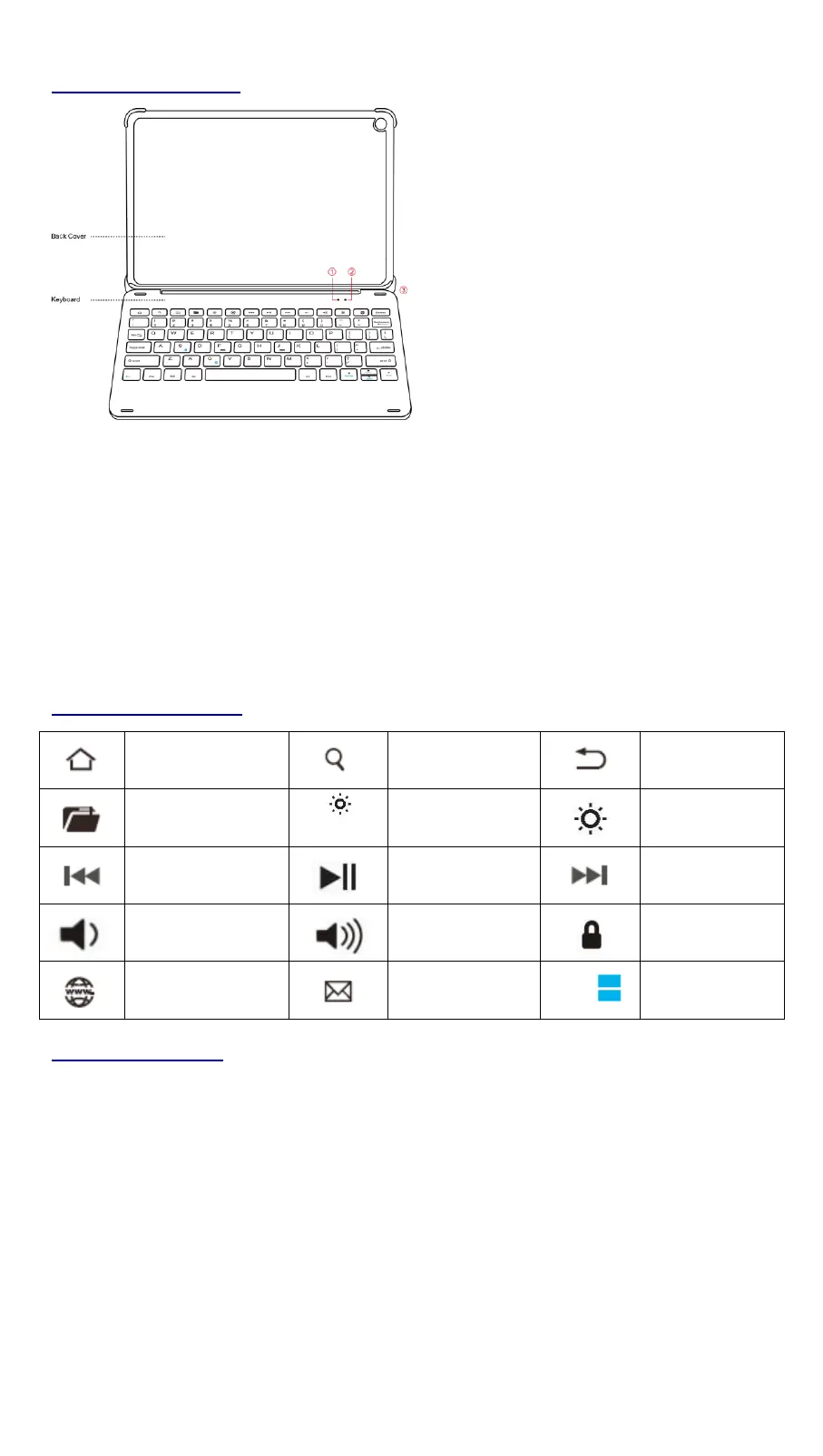
① Power indicator: Turns blue for 3 seconds.
Bluetooth indicator: Flashes blue when pressing “Fn + C”.
Caps Lock indicator: Blue light is on.
② Charging indicator: Red while charging.
Green when fully charged.
Low battery indicator: Flashes red when charging is required.
③ Charging port: Only used for charging.
Keys and Function
Troubleshooting
If your device doesn’t respond to the keyboard, try the follow steps.
1. Restart your device.
2. Turn your keyboard off and back on.
3. Forget and re-pair your keyboard.
4. If your keyboard doesn’t establish or maintain a Bluetooth connection, reset
the Bluetooth module by charging your keyboard.
5. After charging, if your keyboard doesn’t operate correctly, please contact your
authorized retailer.


 To Next Page