The ES18B is also identified as FK1 and is referred to FK1 in this document.
STEP 4:
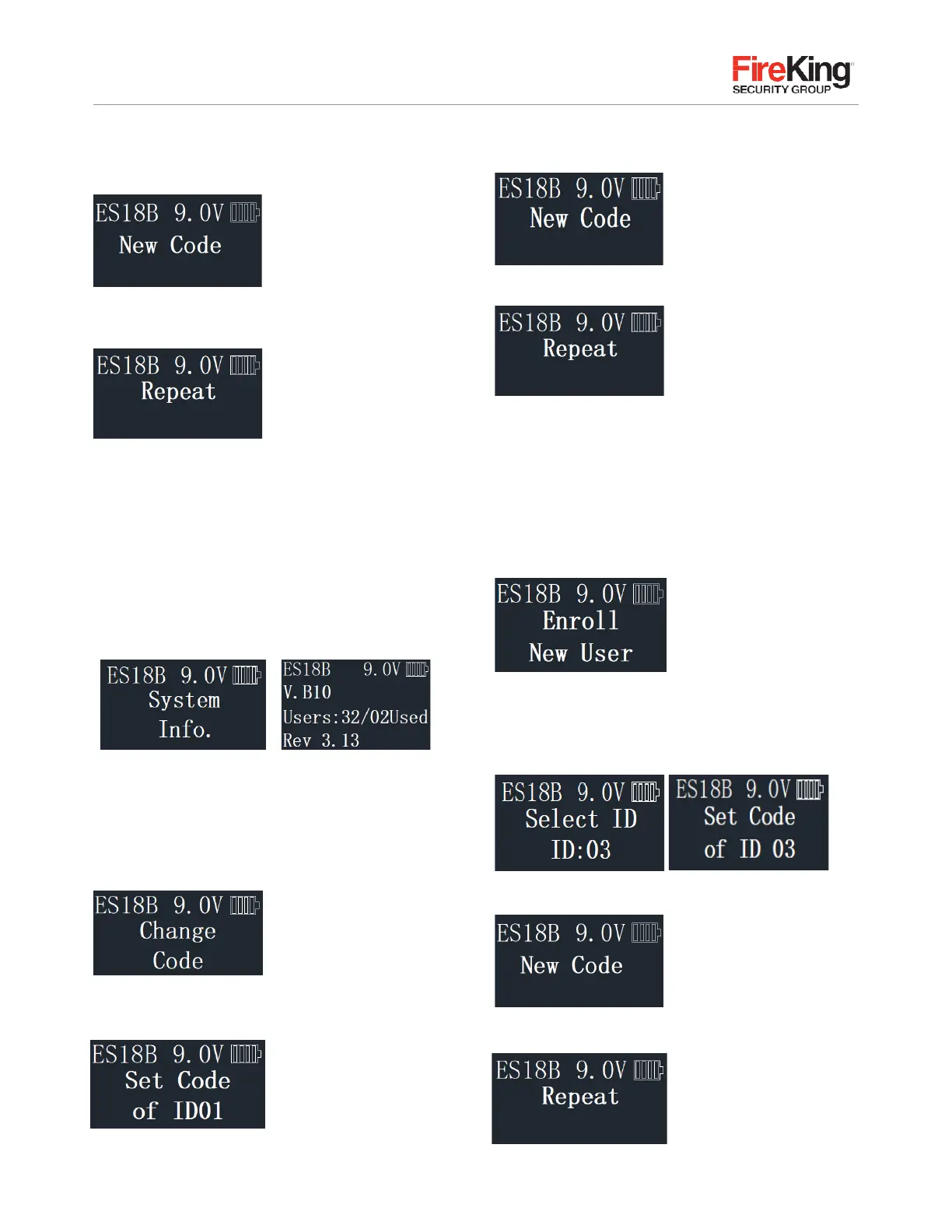
Display will read “New Code.”
Enter new Encryption Key value.
STEP 5:
Display will read “Repeat.” Repeat new
Encryption Key value, Press
“Menu/OK.”
STEP 6:
Display will read “Code Saved.”
2.3
System Info
(View the system information)
STEP 1:
Enter a valid code
STEP 2:
Using the
▲
or
▼
scroll to the “System info”
and Press “Menu/OK”; the screen will display Information
about the system, the following will be displayed:
2.4
Change Code
STEP 1:
Enter a valid code.
STEP 2:
Using the
▲
or
▼
scroll to the “change code”
and Press “Menu/OK.”
STEP 3:
The display will show the message
“Set code of ID XX” (current user #) to be changed.
STEP 4:
Enter the new 6-8 digit code and Press “Menu/OK.”
STEP 5:
Repeat the new code and Press “Menu/OK.”
The New Code has now been saved and is available for use.
2.5
Enrolling New Users
STEP 1:
Enter a valid code
STEP 2:
Using the
▲
or
▼
scroll to the “Enroll New User”
and Press “Menu/OK.”
STEP 3:
The next available ID position is displayed.
To select this ID, Press “Menu/OK”; or to select a different
ID position, Press
▲
or
▼
to the desired ID and
Press “Menu/OK.”
STEP 4:
Now enter a 6-8 digit code and Press “Menu/OK.”
STEP 5:
Repeat new code and Press “Menu/OK.”


 To Next Page