https://
install.myfirstech.com
Copyright 2020 Fi rste ch, LLC. “Hello, my name is Inigo Montoya....” Page
9
Placement and Use of Components
IMPORTANT: The placement and use of components are critical to the performance of this system.
Antenna and Cable (Included with RF kits that are sold separately)
Firstech antennas are calibrated for horizontal installation at the top of the windshield. The cable that connects
the antenna to the control module must be free from any pinches or kinks. Installing the antenna in areas other
than the windshield may adversely affect the effective transmitting distance of the remotes.
LED (external) (Included with FT-ALARM IT upgrade kits)
There will be an external mountable Blue LED, or an LED in the antenna (FMX antenna only) for theft
deterrent. (NOT INCLUDED WITH CMX KIT) It is important to discuss mounting locations with the end user,
trying to make it visible and bright when recommending locations. The LED will light up solid blue when armed
for approx. 25 seconds allowing the impact sensor to set up. Once the LED is flashing the sensors are ready. The
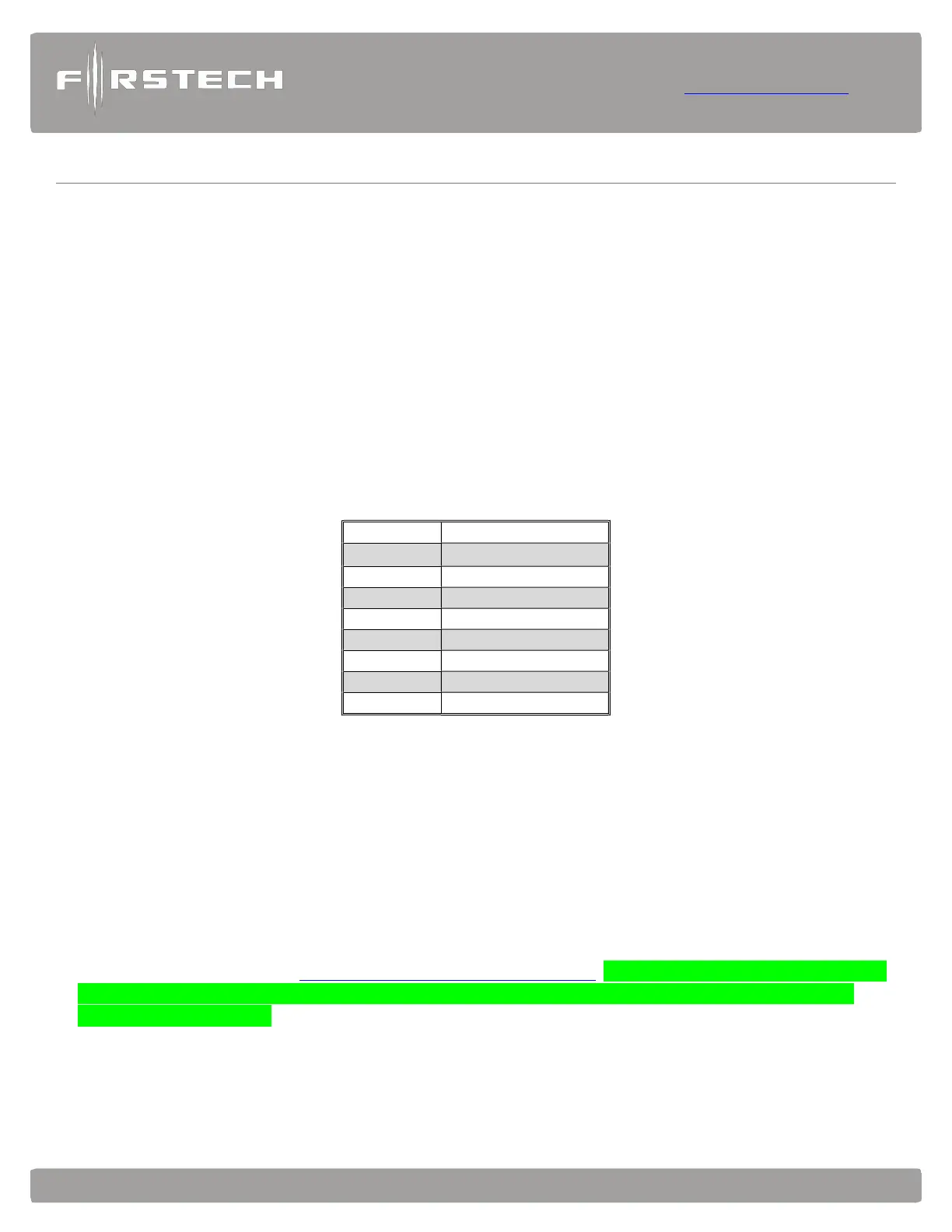
LED will also provide security diagnostics which will flash the LED according to the zone that triggered the
alarm alert. The LED will continue to flash the last zone triggered until ignition is cycled on.
2 Flash Door Input
3 Flash
Shock stage 1
4 Flash
Shock stage 2
5 Flash Tilt
6 Flash
Ignition on
7 Flash Hood Input
8 Flash
Trunk Input
9 Flash AUX sensor stage 1
10 Flash
AUX sensor stage 2
RPS Touch and KP2(Keyless Entry window sensor sold seperately)
The RPS is an optional feature. The car call/RPS feature uses a small sensor that is mounted on the inside of
your windshield.
1. RPS Touch (Remote Paging Sensor)
The new RPS touch has multiple features including remote paging, 4-digit pin unlock/disarm, and arm/
lock. All features are operated with a simple touch of the sensor. Note: check feature 3-16 to make sure it
is set to RPS touch setting. (Default to RPS touch)
RPS Touch and car call functions do not require programming, however to unlock/disarm your vehicle you
must program a 4-digit passcode (numbers 1 through 10 only) you can view our video library for
programming instructions at: https://www.youtube.com/c/myFirstech NOTE: If you enter the wrong code
more than 5 times within 30 minutes the RPS touch function will be disabled for 1 HOUR or until
ignition has been cycled.
Programming Your Code:
STEP 1: Choose your RPS Touch 4-digit code. ‘0’ is not available.



 To Next Page