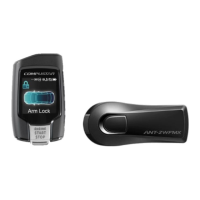
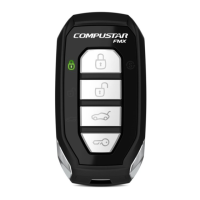
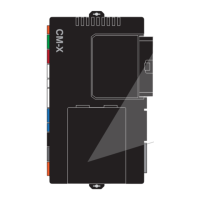
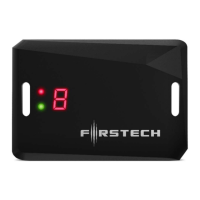
This document describes a Firstech remote starter and alarm system, applicable to FLEX 2 (RF-AR2WG14R-FM) and RF-AR1WG14R-FM remotes. The system provides various functions for vehicle control, security, and convenience.
Function Description
The Firstech system allows for remote control of several vehicle functions, primarily focusing on remote start, door locking/unlocking, and alarm functionalities. It supports both 2-way and 1-way remotes, with 2-way remotes offering confirmation feedback. The core functions include:
- Remote Start: Allows the user to start the vehicle's engine remotely. This feature is available for both automatic and manual transmission vehicles, with manual transmissions requiring a "Reservation Mode" to ensure safety.
- Lock/Arm and Unlock/Disarm: Controls the vehicle's door locks and arms/disarms the alarm system. The system supports both active (manual button press) and passive (automatic after a delay) arming.
- Trunk Release: Remotely opens the vehicle's trunk or hatch.
- Auxiliary Outputs: Provides control over additional vehicle functions such as window roll-down, power sliding doors, moon roof, or rear defroster, depending on installation and programming.
- Silent Arm/Disarm: Mutes the siren chirps for lock/arm and unlock/disarm confirmations, while still allowing the siren to sound if the alarm is triggered.
- Shock Sensor On/Off: Enables or disables the vehicle's shock sensor, which detects impacts.
- FT-DAS and FT-Shock: These features relate to impact detection and sensitivity adjustments. FT-DAS (Digital Alarm Sensor) allows for setting warn-away and instant trigger zones, while FT-Shock involves adjusting the physical shock sensor's sensitivity.
- Drive Lock/Ignition Controlled Door Locks: Automatically locks the vehicle's doors based on ignition status or RPM, and unlocks them when the ignition is turned off.
- Turbo Timer Mode: Keeps the engine running for a set duration after the key is removed, allowing the turbocharger to cool down properly.
- 2nd Car Mode (Multiple Vehicle Control): Enables a single 2-way remote to control a second vehicle equipped with the same RF Kit.
- RPS Touch and RPS (Remote Paging Sensor): An optional feature mounted on the windshield that allows for remote paging, 4-digit PIN unlock/disarm, and arm/lock functions via touch.
- Timer Start Mode: Automatically starts the vehicle at pre-set intervals, even when the remote is out of range. This can be combined with a temperature sensor for "Cold/Hot Start Mode" to start the vehicle based on ambient temperature.
- Anti-Jacking Mode: An optional security feature that allows the user to safely disable the vehicle if it is carjacked, by holding the lock button for 4 seconds.
Usage Features
The system is designed for user-friendly operation, primarily through a 4-button remote control.
- Button Functions: Commands are sent by tapping or holding specific buttons or button combinations on the remote. For example, a half-second tap on the lock button locks doors and arms the alarm, while a 2.5-second hold on the remote start button initiates remote start.
- 2-Way Remote Confirmation: 2-way remotes provide audible beeps and LED flashes to confirm successful command transmission and vehicle status (e.g., locked, unlocked, remote started, run time remaining).
- LED Indicators: The remote's LED icons display various statuses, including lock/unlock, remote start confirmation, remaining run time (100%, 75%, 50%, 25%), command confirmations, error confirmations, and low battery warnings.
- Valet Mode: A crucial feature for servicing or lending the vehicle, Valet Mode disables remote start and alarm functions while still allowing door lock/unlock control. It can be activated or deactivated through specific key cycles or button presses.
- Remote Start Error Diagnostics: If a remote start fails, the vehicle's parking lights will flash a specific number of times to indicate the reason for the failure (e.g., door open, hood open, foot brake on, system in valet mode).
- Alarm Diagnostics: When the alarm is armed, a slowly blinking LED indicates its status. If the alarm is triggered, the LED will flash to indicate which zone was violated (e.g., doors, shock sensor, tilt, ignition, hood, trunk, auxiliary sensors). Upon disarming, siren chirps will also indicate the triggered zone.
- Programming Remotes: The manual provides detailed steps for programming both 2-way 4-button remotes and remotes for Push to Start (PTS) vehicles, involving specific ignition cycles and button presses.
- Antenna LED: The system's antenna features a blue LED that flashes when the vehicle is locked/armed, and a green/red LED used for programming remotes and controlling the blue LED's flashing.
Maintenance Features
The system requires minimal regular maintenance, primarily focused on the remote control.
- Remote Battery Replacement: The only regular maintenance required is replacing the remote control battery. No reprogramming is needed after battery replacement. Instructions are provided for opening both 2-way and 1-way remotes to access the battery.
- Warranty Coverage: The product comes with a limited lifetime warranty for the control module, with a one-year warranty for the remote controller unit. Warranty registration is required online within 10 days of purchase. The warranty is void if the product is installed by anyone other than an authorized dealer.
- Troubleshooting: The manual advises contacting the original place of purchase or customer support for any questions or concerns. For remote start errors, it recommends contacting the dealer for repairs rather than attempting them oneself.

 Need help?
 General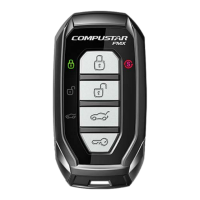

 To Next Page