7
Selecting a programme and operating your machine
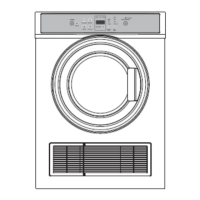
Control panel
Turning the machine on
Prepare the machine for programme selection by pressing the ON/OFF button.
Pressing the
ON/OFF button does not necessarily mean the programme has started.
Press the
START/PAUSE/CANCEL button to allow the machine to start the programme.
Programme selection
Choose the appropriate programme from the table below. Select the desired programme
with the programme selection button.
Extra dry
Dry at high temperature only for cotton laundry. Thick and multi layered
laundry (eg: towels, linens, jeans) are dried in a way that they do not
require ironing.
Ready to Wear
Normal laundry (eg: tablecloths, underwear) are dried in a way that they
do not require ironing before placing in drawers.
Ready to Iron
Normal laundry (eg: shirts, dresses) are dried ready to be ironed.
Always select the highest temperature that is safe for the type of items in the load (check care
labels). A high temperature will ensure energy and time saving, but may be unsuitable for some
items and cause damage.
1
ON/OFF button
2
Programme selection knob
3
START/PAUSE/CANCEL button
4
Cancel Audio Warning
5
Programme follow-up indicator
6
CLEAN FILTER warning LED
Fig.5 Control panel features
123456


 To Next Page
 Loading...