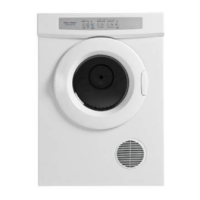
DR027
OCTOBER 2005
COPYRIGHT © FISHER & PAYKEL LTD 2005
Adjust Options Menu
The Intuitive Dyer has an Adjust Options Menu where it is possible to adjust the brightness of the LCD display screen as well as
selecting the appropriate language for the market the product is sold into.
Note: When the product leaves the factory the language should be preset, and there should be no reason to adjust this.
However when replacing the Sensor Module it will be necessary to manually set the language.
To enter the Adjust Options menu press Power to turn the
machine on. The adjacent screen should now be displayed.
To access the Adjust Options Menu push the Options Up or
Options Down button, and hold for 2 seconds. The Adjust
Options Menu will then be displayed. One of the two screens as
shown below will be displayed.
To scroll through the different screens press the OPTIONS UP
or OPTIONS DOWN buttons.
Language Selection
Press the Adjust button to change the selected language. To
lock the setting in press the Home button.
Display Brightness
The display brightness screen can be used to match the brightness of a matching Intuitive™ Eco washing machine.
To adjust the display brightness push the Adjust button. When
the desired brightness has been selected press the Home
button to lock in the setting.



 To Next Page
 Loading...