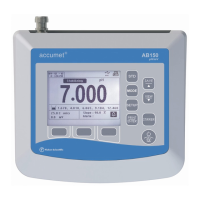
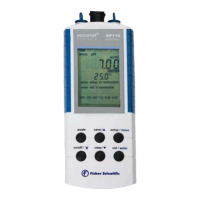
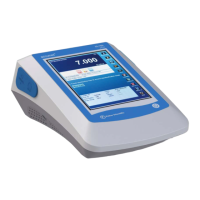
The Fisher Scientific accumet AE150 pH Benchtop Meter is a laboratory instrument designed for routine pH measurements. It is part of the accumet essential (AE) series, focusing on key functions without overly complicated features. The meter is capable of measuring pH, mV, and temperature, displaying these values simultaneously on its Liquid Crystal Display (LCD) for efficient sample reading and recording.
Function Description:
The AE150 pH Benchtop Meter offers a range of measurement capabilities and operational modes. It supports pH, mV, and relative mV (R.mV) measurements, with temperature readings displayed in Celsius or Fahrenheit. The meter features a user-friendly interface with mode indicators for pH, mV, R.mV, and temperature, along with special indicators for units of measure, error messages, and stability (READY icon). The display shows the primary measured value (pH, mV, or R.mV) in the upper section and the temperature reading in the lower section.
Usage Features:
The meter is designed for ease of use with a splash-resistant membrane keypad providing tactile feedback. Key functions include:
- ON/OFF: Powers the meter on and off.
- CAL/MEAS: Toggles between measurement and calibration modes. In setup mode, it returns to measurement mode.
- MODE: Toggles between pH, mV, and temperature measurement modes. In pH calibration mode, it switches to temperature.
- HOLD: Freezes the displayed measurement. Pressing again updates the display.
- MR/▼: Recalls measurements from memory and scrolls through log values. In setup mode, it scrolls to the next program. In mV calibration, it scrolls values and selects temperature.
- MI/▲: Inputs measurements into memory and scrolls through log values. In setup mode, it scrolls to the next program. In mV calibration, it scrolls values and selects temperature.
- ENTER: Confirms selections and enters values for calibration or memory functions.
The meter includes a setup mode to customize preferences and defaults, with programs for:
- P1.0: Memory Clear (CLr) – clears all stored memory values.
- P2.0: View Electrode Data (ELE) – displays electrode offset (mV) and slope (%).
- P3.0: Select Buffer Set (bUF) – allows selection between USA and NIST pH buffer standards.
- P4.0: Reset to Factory Default Settings (rSt) – resets calibration data for pH and mV modes or restores factory defaults (excluding temperature calibration and buffer set).
Calibration:
The AE150 supports comprehensive calibration procedures:
- pH Calibration: One to five-point pH calibration with automatic buffer recognition. It supports USA buffer sets (pH 1.68, 4.01, 7.00, 10.01, 12.45) and NIST buffer sets (pH 1.68, 4.01, 6.86, 9.18, 12.45). A one-point calibration (offset) must use pH 7.00 or 6.86 buffer. For slope-to-slope calibration, the first point is registered after the second is completed. It is recommended to bracket the expected sample range with buffers, starting with pH 7.00 or 6.86.
- mV Calibration: One-point mV calibration with ±150 mV offset adjustment. The adjustment range is -1999 mV to +1999 mV with 1 mV resolution, or -199.9 mV to +199.9 mV with 0.1 mV resolution. New mV calibrations override existing data.
- Temperature Calibration: One-point ATC temperature probe calibration with ±5 °C offset adjustment, in 0.1 °C increments. This requires the temperature probe to be attached and immersed in a solution of known temperature.
Temperature Compensation:
- Automatic Temperature Compensation (ATC): Activated when a temperature probe is connected. The probe must be submersed in the liquid being measured for accurate compensation.
- Manual Temperature Compensation (MTC): Activated when the temperature probe is disconnected. Users can manually set the temperature from 0 to 100 °C.
Data Management:
The meter has a non-volatile memory capable of storing up to 100 data sets in a Last-In-First-Out (LIFO) sequence. This allows for storing and recalling pH and temperature, or mV and temperature data sets. When memory is full, the oldest data set is erased to make space for new data.
Electrode Holder:
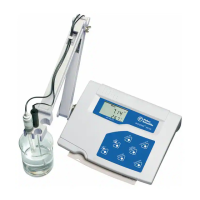
An optional swivel electrode holder can be attached to either side of the meter base plate for convenient electrode positioning during operation and storage.
Connectivity:
The rear instrument panel provides various connectors:
- ATC: 2.5 mm phono jack for the ATC temperature probe.
- INPUT: BNC connector for pH or ORP electrodes.
- REF: Pin-type reference half-cell electrode connection.
- REC: Subminiature plug connection for strip chart recorders (outputs raw mV values).
- GND: Ground earth jack (standard tip connectors).
- DC: AC/DC power adapter connection.
Maintenance Features:
- pH Electrode Maintenance: Regular cleaning is recommended. After use, electrodes should be washed with deionized water and stored in pH electrode storage solution (or pH 4 buffer), not deionized water.
- Electrolyte Replacement: For refillable electrodes, the reference electrolyte can be replaced by flushing out old electrolyte and adding fresh.
- Electrode Cleaning and Rejuvenation: Procedures for removing salt deposits (warm tap water), oil/grease films (mild detergent), clogged reference junctions (heated 1% KCl solution), and protein deposits (protein cleaning solution) are provided. Rejuvenation involves dipping the electrode in concentrated acid and then strong base, followed by rinsing and testing.
Important Technical Specifications:
- pH Range: 0.00 to 14.00 pH
- pH Resolution: 0.01 pH
- pH Accuracy: ± 0.01 pH
- mV Range: ± 1999 mV
- mV Resolution: 0.1 mV (± 199.9 mV), 1 mV (beyond ± 200 mV)
- mV Accuracy: ± 0.2 mV (± 199.9 mV), ± 2 mV (beyond ± 200 mV)
- Temperature Range: 0.0 to 100.0 °C
- Temperature Resolution: 0.1 °C
- Temperature Accuracy: ± 0.3 °C
- Power Requirements: AC/DC 9V Adapter (110/220VAC, 50-60Hz)
- Display: Dual line LCD with icons
- Memory: 100 data sets
- Operating Ambient Temperature: 5 to 45 °C
- Operating Relative Humidity: 5 to 85%, non-condensing
- Storage Temperature: -20 to 60 °C
- Storage Relative Humidity: 5 to 85%, non-condensing
- Dimensions (Meter with electrode holder): 18 x 23 x 6 cm (7.1 x 9.1 x 2.4 in)
- Weight (Meter with electrode holder): 1.25 kg (2.76 lb)
- Warranty: 3 years for manufacturing defects.
The meter also includes self-diagnostic messages and an electrode condition icon to indicate electrode status. It complies with Degree 2 pollution and Category II overvoltage standards and is CE certified.


 To Next Page
 General