EasyManua.ls Logo

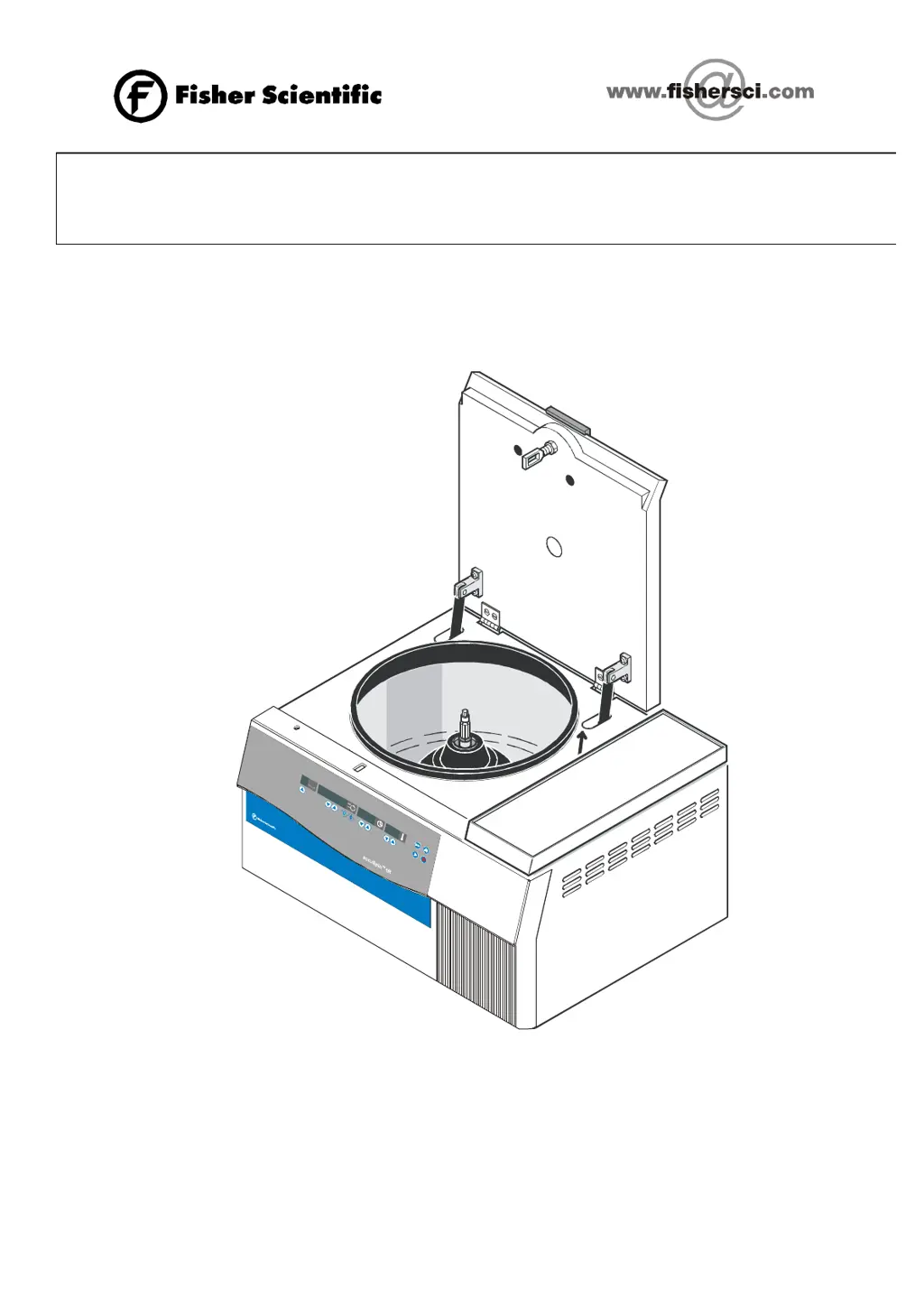
Fisher Scientific accuSpin 1R - Service Manual

Fisher Scientific accuSpin 1R
70 pages
Print Icon
To Next Page IconTo Next Page
Loading...
Valid is only version of current data file
accuSpin 1R SERVICE MANUAL
12003449

Questions and Answers

  • L
    Lindsey HendersonSep 13, 2025
    What does error „E-11“ mean on Fisher Scientific Laboratory Equipment?
    • A
      Alexandra ThomasSep 13, 2025
      If your Fisher Scientific Laboratory Equipment displays the message “E-11“, it indicates that there is no data transfer from the NV-RAM to the CPU. In this case, replace the NV-RAM.
  • J
    John JacksonAug 25, 2025
    Why can't I open the lid of my Fisher Scientific Laboratory Equipment, and it shows error “E-17“?
    • S
      Stephanie BarkerAug 26, 2025
      If the lid of your Fisher Scientific Laboratory Equipment cannot be opened with the key at a standstill and displays "E-17", several issues could be the cause. The lid solenoid might not be getting enough voltage, so refer to the manual opening cord in the bottom plate. The PTC resistor may have released; wait two minutes and press the key again. A faulty driving or triac circuit could also be the problem, which would require replacing the complete main board. Alternatively, the lid coil could be faulty, necessitating replacement of the entire lid lock device. Ensure the lid is correctly locked by pushing it centrally into the lock and pressing the key again. Finally, the lid might be de-adjusted, so re-adjust it centrally.
  • H
    hernandezbryceAug 29, 2025
    How to troubleshoot drive noises and poor separation in Fisher Scientific Laboratory Equipment?
    • W
      webershaneAug 29, 2025
      If your Fisher Scientific Laboratory Equipment drive is making noises and you're not getting good separation results, consider these possibilities: * The motor rubber mounts may be worn out; replace them (at least every three years). * The motor bearings might be failing; replace the entire motor. * There could be a defective terminal connection, faulty lead, or motor winding. Check the voltage on the motor terminal and winding resistances, referring to the test points on the boards. * The power electronics might be faulty; replace the main board.
  • S
    Sandra BriggsAug 30, 2025
    Why does „OPEn“ appear when the lid is closed on my Fisher Scientific Laboratory Equipment?
    • K
      Karl HammondAug 30, 2025
      If "OPEn" appears in the speed display of your Fisher Scientific Laboratory Equipment even when the lid is supposedly closed, it indicates that the 15V low voltage supply for the frequency converter (via the lid switches and motor over-temperature switch) is interrupted at standstill. Check the leads and connectors to the micro switch, and if the micro switch is faulty, replace the entire lid lock device. Also, check the motor over-temperature switch and leads for continuity, replacing any faulty parts (including the motor if necessary). Another possibility is that the 15V low voltage supply on the main board is defective, requiring replacement of the main board.
  • S
    Sherry SnowSep 1, 2025
    Why are all display elements briefly illuminated on my Fisher Scientific Laboratory Equipment?
    • C
      Crystal Torres DDSSep 1, 2025
      If all display elements on your Fisher Scientific Laboratory Equipment are briefly illuminated, it could be due to a CPU program reset caused by EMI. Remedy the failure; if the voltage drops often, use a voltage stabilizer. Another cause could be a bad or missing ground connection. Check all ground connections and the ground connection of all boards.
  • A
    Angela WaltonNov 26, 2025
    Why does “Lid“ appear in the speed display of my Fisher Scientific Laboratory Equipment?
    • M
      Michael SmithNov 27, 2025
      If “Lid“ appears in the speed display of your Fisher Scientific Laboratory Equipment, it could be due to several reasons: * The lid was opened manually during a run (which is forbidden!). Immediately close the lid, pull out and plug in the power cord again, press the start key to continue the run, or press the stop key to finish the run. * The 15V low voltage supply for the frequency converter, which runs through the lid switches and motor over-temperature switch, is interrupted during operation. Check the leads and connectors to the micro switch; if the micro switch is faulty, replace the entire lid lock device. * The motor over-temperature switch has tripped, blocking airflow to the motor, and only two phases are controlled to the motor. After cooling down, check the temperature s...
  • J
    Jill JimenezNov 22, 2025
    What to do if "bAL" message alternates with speed values on Fisher Scientific Laboratory Equipment?
    • K
      Kevin LongNov 22, 2025
      If the "bAL" message alternates with speed values on your Fisher Scientific Laboratory Equipment, it indicates an imbalance run. Here's what to do: * Open the lid and check the rotor loading, then close the lid and restart. * Ensure the base is sturdy and not causing vibrations; change or reinforce it if needed. * Grease the trunnions. If the problem persists, the rotor itself might have an imbalance and should no longer be used; send it back to the factory. A damaged rotor fixing or drive shaft could also be the cause, in which case the centrifuge must no longer be used, and the nut or drive should be replaced. Alternatively, check leads with ohmmeter and replace if faulty. Inspect the calibration of the imbalance switch. If none of these steps resolve the issue, the imbalance cir...
  • E
    Edward FernandezNov 25, 2025
    What does “E-00“ message mean on Fisher Scientific Laboratory Equipment and how can I fix it?
    • J
      jzamoraNov 25, 2025
      If the “E-00“ message appears in the speed display of your Fisher Scientific Laboratory Equipment, it could be due to several reasons. The rotor might be jammed, so check for easy movement and remove any obstructions. The motor itself could also be jammed, requiring replacement. Inspect the plug or lead connection to the speed detection board, checking the plug contacts and leads, and measuring the speed signal on XW1/3; replace any defective parts. A faulty processing circuit could also be the cause, necessitating replacement of the main board. If the motor didn’t start, check the plug contacts and leads and replace any defective parts. Motor windings could be faulty, requiring motor replacement. Finally, the driving circuit or FETs might be the issue, in which case the main board needs t...
  • J
    Jeremy SloanSep 12, 2025
    What does error „E-10“ mean on Fisher Scientific Laboratory Equipment?
    • M
      Marissa HurstSep 12, 2025
      If the “E-10“ message appears on your Fisher Scientific Laboratory Equipment, it indicates that the initialising of NV-RAM is not valid. Check the NV-RAM and its socket, and ensure the correct NV-RAM is inserted.
  • K
    Karen OrtizSep 9, 2025
    What does the error message „E-07“ mean on Fisher Scientific Laboratory Equipment?
    • C
      Crystal BrownSep 9, 2025
      If your Fisher Scientific Laboratory Equipment shows an “E-07“ message, it indicates that the compressor didn’t work. Check the leads, terminals, start relay, capacitor, and the compressor itself. It could also indicate a faulty cooling cycle with refrigerant loss, in this case search for leakage and close it, evacuate and refill with new refrigerant.

Summary

SERVICE

Servicing Schedule

Yearly procedure for maintenance and checks.

Trouble Shooting

Common issues, causes, and corrective actions.

Error Codes

List of error indications, causes, and troubleshooting steps.

Electrical Safety Check

Procedures for final electrical safety compliance checks.

FUNCTIONAL DESCRIPTION

Main Board Functions

Detailed functions of the main control board.

Cooling Unit with Capillary Injection

Description of the refrigeration system and its function.

SCHEMATIC DIAGRAMS

Wiring Diagrams

Detailed wiring diagrams for different models.

Wiring Diagram Main Board; Controller

Wiring diagram for the central controller.

Wiring Diagram Main Board; Protection circuit

Wiring for protection and overcurrent circuits.

Wiring Diagram Main Board; Output stage

Wiring for the motor output stage.

Disassembly of Instrument Parts

Replacing Electrical Components

Steps for replacing electrical parts like fuses, boards, etc.

Replacing Drive Components

Procedures for replacing motor and motor supports.

Replacement of Parts of the Cooling Plant

Procedures for replacing cooling system components.

PREVENTIVE MAINTENANCE CHECKLIST

Performance Checks

Verifying speed, time, temperature, and deceleration.

Safety Test

Tests for leakage current, insulation, and grounding.

Calibration Certification Procedure accuSpin 1 R

Calibration Certification

The process of certifying calibration.

Fisher Scientific accuSpin 1R Specifications

General IconGeneral
Max Speed15, 000 RPM
Frequency50/60 Hz
Capacity6 x 50 mL
Timer1 to 99 minutes, continuous
Voltage115V

Related product manuals