EasyManua.ls Logo

Fishman POCKER BLENDER - User Manual

Fishman POCKER BLENDER
20 pages
Print Icon
To Next Page IconTo Next Page
Loading...
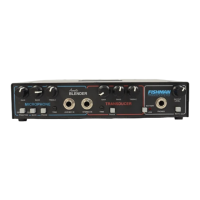
Pocket Blender
Acoustic Instrument Preamp
The FISHMAN Pocket Blender is warranted to function for a period of One (1)
Year from the date of purchase. If the unit fails to function properly within the
warranty period, free repair and the option of replacement or refund in the event
that FISHMAN is unable to make repair are FISHMAN’s only obligations. This
warranty does not cover any consequential damages or damage to the unit due
to misuse, accident, or neglect. FISHMAN retains the right to make such
determination on the basis of factory inspection. Products returned to FISHMAN
for repair or replacement must be shipped in accordance with the Return Policy,
as follows. This warranty remains valid only if repairs are performed by
FISHMAN. This warranty gives you specific legal rights and you may also have
other rights which may vary from state to state.
Return Policy
To return products to FISHMAN TRANSDUCERS, you must follow these steps...
1. Call FISHMAN TRANSDUCERS at 978-988-9199 for a Return Authorization
Number (“RAN”).
2. Enclose a copy of the original Bill of Sale as evidence of the date of purchase,
with the product in its original packaging and a protective carton or mailer.
3. FISHMAN TRANSDUCERS’ technicians will determine whether the item is
covered by warranty or if it instead has been damaged by improper customer
installation or other causes not related to defects in material or workmanship.
4. Warranty repairs or replacements will be sent automatically free of charge.
5. If FISHMAN TRANSDUCERS determines the item is not covered by warranty,
we will notify you of the repair or replacement cost and wait for your authorization
to proceed.
FISHMAN TRANSDUCERS
340-D Fordham Road Wilmington MA 01887 USA
Phone 978-988-9199 • Fax 978-988-0770
www.fishman.com
Rev 2 • 4-11-02 • 009-010-001
®
User Guide
®
Limited Warranty

Questions and Answers

  • S
    sschmittAug 12, 2025
    What to do if Fishman POCKER BLENDER Amplifier low battery trim controls are too high?
    • H
      heidibassAug 12, 2025
      If the low battery trim control(s) are set too high on your Fishman Amplifier, lower the trim control settings.

  • S
    Stephanie HamiltonAug 17, 2025
    How to turn on phantom power on Fishman POCKER BLENDER?
    • T
      Tammy BeckerAug 17, 2025
      If the phantom power on your Fishman Amplifier is off, turn on the phantom power switch.
  • S
    sharonsmithAug 20, 2025
    What to do if Fishman POCKER BLENDER Amplifier has a poorly shielded cable?
    • C
      Corey LambertAug 20, 2025
      If you have a poorly shielded or unshielded cable, replace it with a shielded cable.
  • S
    Stacie GoodwinAug 25, 2025
    How to fix mechanical noise from instrument cable on Fishman Amplifier?
    • S
      shelby46Aug 25, 2025
      If you are experiencing mechanical noise from the instrument cable connected to your Fishman Amplifier, replace or shield the cable.
  • S
    Sabrina HendersonAug 27, 2025
    What to do if Fishman Amplifier instrument cable is too long?
    • K
      Karen HarrisAug 27, 2025
      If the instrument cable is too long, use a shorter instrument cable with your Fishman Amplifier.
  • K
    Krista ColemanAug 31, 2025
    What to do if device breaks signal path on Fishman POCKER BLENDER Amplifier?
    • M
      mark01Aug 31, 2025
      If a device appearing at the microphone effects return is breaking the signal path on your Fishman Amplifier, check the signal path connections.
  • A
    Amanda MeadowsSep 4, 2025
    What to do if Fishman Amplifier input clips with trim control down?
    • P
      Patricia CarterSep 4, 2025
      If the input clips with the trim control all the way down on your Fishman Amplifier, adjust the trim control.
  • D
    davidedwardsSep 8, 2025
    How to fix backwards microphone and pickup wiring on Fishman Amplifier?
    • C
      Cristian CastanedaSep 8, 2025
      If the microphone and pickup are wired to the stereo output jack backwards on your Fishman Amplifier, correct the wiring so that the microphone is connected to the tip and the pickup to the ring.

Summary

INTRODUCTION: THE BLENDER SYSTEM

Microphone and Pickup (Transducer)

Explains the combined use of instrument microphone and pickup for natural sound and amplified signal.

INSTALLING A PICKUP; CROWN GLM 200 MICROPHONE COMBINATION ON YOUR INSTRUMENT

QUICK START

POWER OPTIONS

MICROPHONE CHANNEL

Volume, Bass, Treble, and Phase Controls

Details how to set volume, tone controls, and phase switches for optimal microphone signal.

Trim, Hi Cut, and Lo Cut Switches

Explains the function of trim, hi cut, and lo cut switches for signal adjustment and feedback reduction.

TRANSDUCER CHANNEL

Volume, Tone, and Phase Controls

Describes how to adjust volume, bass, treble, and phase for the transducer signal.

MASTER SECTION

PATCHING OPTIONS WITH THE EFFECTS LOOPS

Sends, Returns, and Outputs

Explains how to use sends, returns, and outputs for routing audio signals and integrating external gear.

SUGGESTED INPUT OPTIONS

Internal Microphone and Pickup Configuration

Illustrates connecting an instrument with an internal pickup and microphone using a stereo cable.

Piezo and Magnetic Pickup Wiring

SUGGESTED OUTPUT OPTIONS

USING MULTIPLE OUTPUTS

EFFECTS LOOPS

TROUBLESHOOTING

Common Symptoms, Causes, and Solutions

A guide to diagnosing and resolving common issues like no signal, noise, or distortion.

ADDRESSING FEEDBACK

Low Frequency Feedback Management

Explains techniques and settings to minimize low-frequency feedback from instrument resonance.
High Frequency Feedback Management

Fishman POCKER BLENDER Specifications

General IconGeneral
BrandFishman
ModelPOCKER BLENDER
CategoryAmplifier
LanguageEnglish

Related product manuals