TONE CONTROLS
Note: If you make radical changes to your tone settings after you have set your input
gain, re-check the Input Gain level so that the clip/low battery light faintly flashes
with hard strumming. Doing so will give you the strongest possible signal with no
distortion.
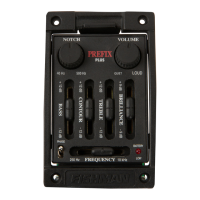
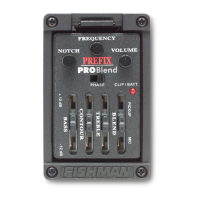
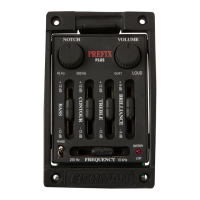
Bass
A Boost here will add depth and weight to the sound of an instrument with light
bass response. Cut the bass a few dB to tighten up the big boomy tone of a
dreadnought or jumbo guitar.
Mid EQ
Two sliders (Level and Frequency) make up the Mid control.
The Frequency slider lets you tune in on specific midrange sounds that you can
boost/cut with the Level slider.
With the Mid EQ you can boost or cut a wide range of frequencies, from gutsy
low midrange (250 Hz) to splashy low treble (5 kHz).
Many instruments benefit from a slight midrange cut. To cut mids:
Boost the Level control and then sweep the Frequency control until you find the
band of frequencies that are brash and nasal sounding (usually around the
center of the Frequency slider's travel). Then move the Level slider below its
detent to taste.
Treble
A Boost here will help to "cut through the mix". Conversely, cutting the Treble
will mellow and subdue your amplified tone.
Brilliance
This slider can add shimmer and sparkle to your sound.
8
8
Pro-EQ Platinum
Pro-EQ Platinum


 To Next Page
