21Page
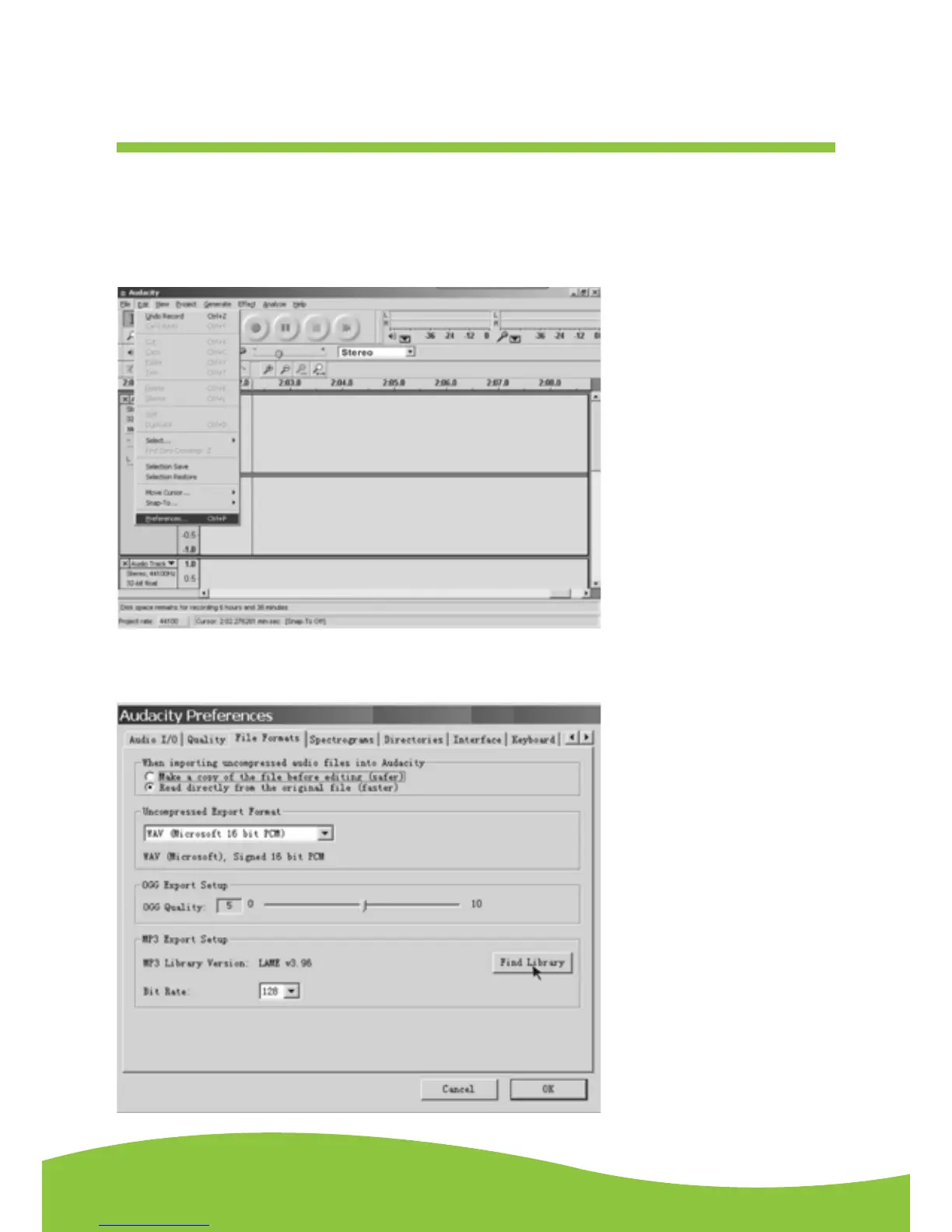
Prepare for MP3 Export--- (Additional software “lame_enc.dll” needs to be installed.)
1. Please make sure that the Audacity disc is still inserted in your computer.
2. Click the “Edit” Tab on the Audacity interface, select “Preferences”.
3. Select the File Formats Tab and click on the Find Library Button.
Preparing to Export and Save for MP3 Formats


 To Next Page