27Page
General problem for all Windows version
1. When the turntable is connected, you cannot hear any sound if you need to listen to video or
music. It is because the default playback device has been changed to USB AUDIO CODEC once
the turntable connects to the PC.
SOLUTION: Click “START” and go to Control Panel. Find and click “SOUND” icon then click the
“PLAYBACK” tab and the change the playback device and click OK.
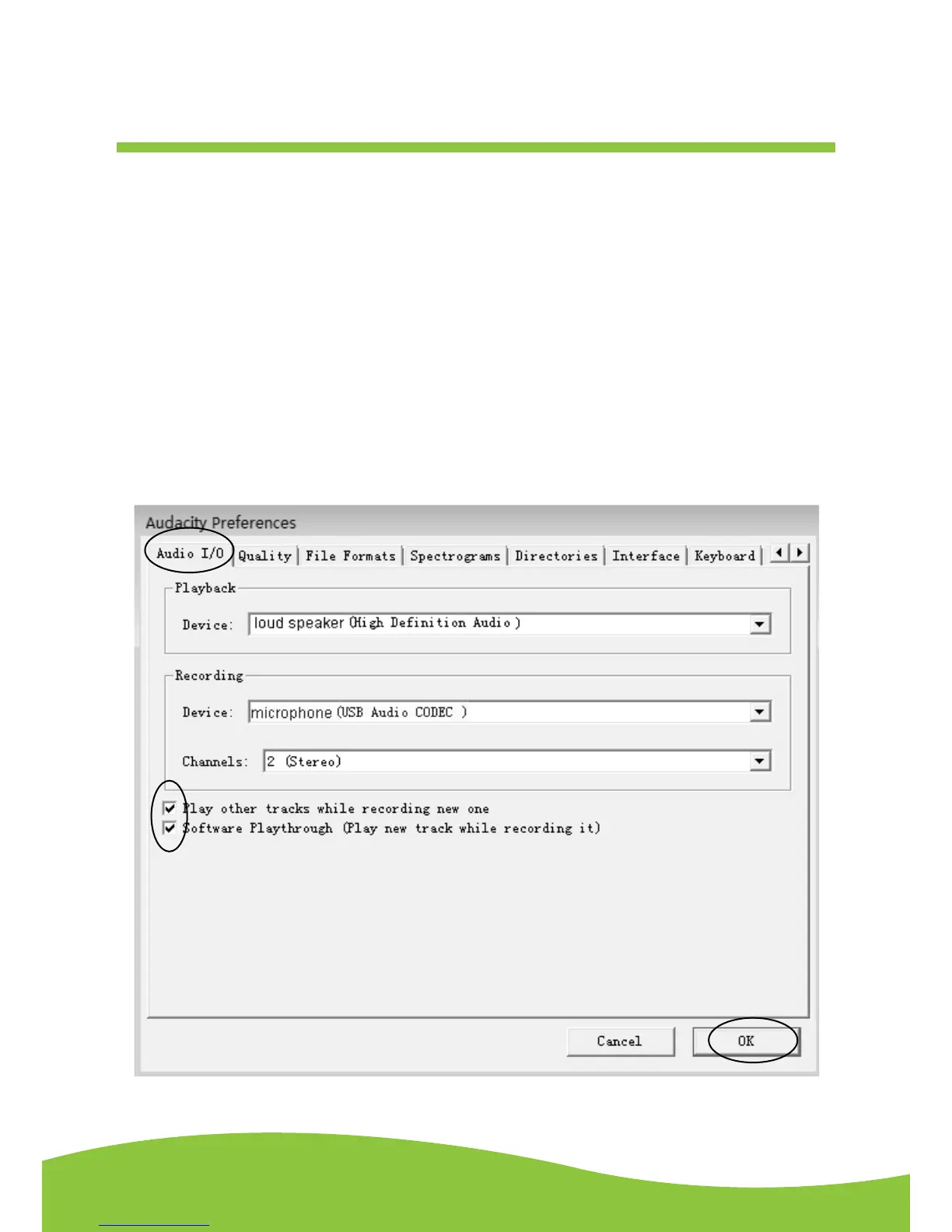
2. If you want to hear the music while downloading onto the computer, go to the Audacity interface.
Click Edit and select “Preference”. Then click “Audio |/O” tab. Follow the setting as shown below
and click OK to confirm.
Deselect the check box to disable its function.


 To Next Page