35Page
Dividing Tracks
NOTE: Follow the previous instructions to upload the songs, DO NOT click the “Stop“ button when
the first song is finished. Click the “Pause “button on the computer. For the next song, replace the
album or move tone-arm to another desired song. Click the “Pause” button to continue the upload.
Only click the “Stop” button when you have finished uploading into the computer.
When your uploading has completed:
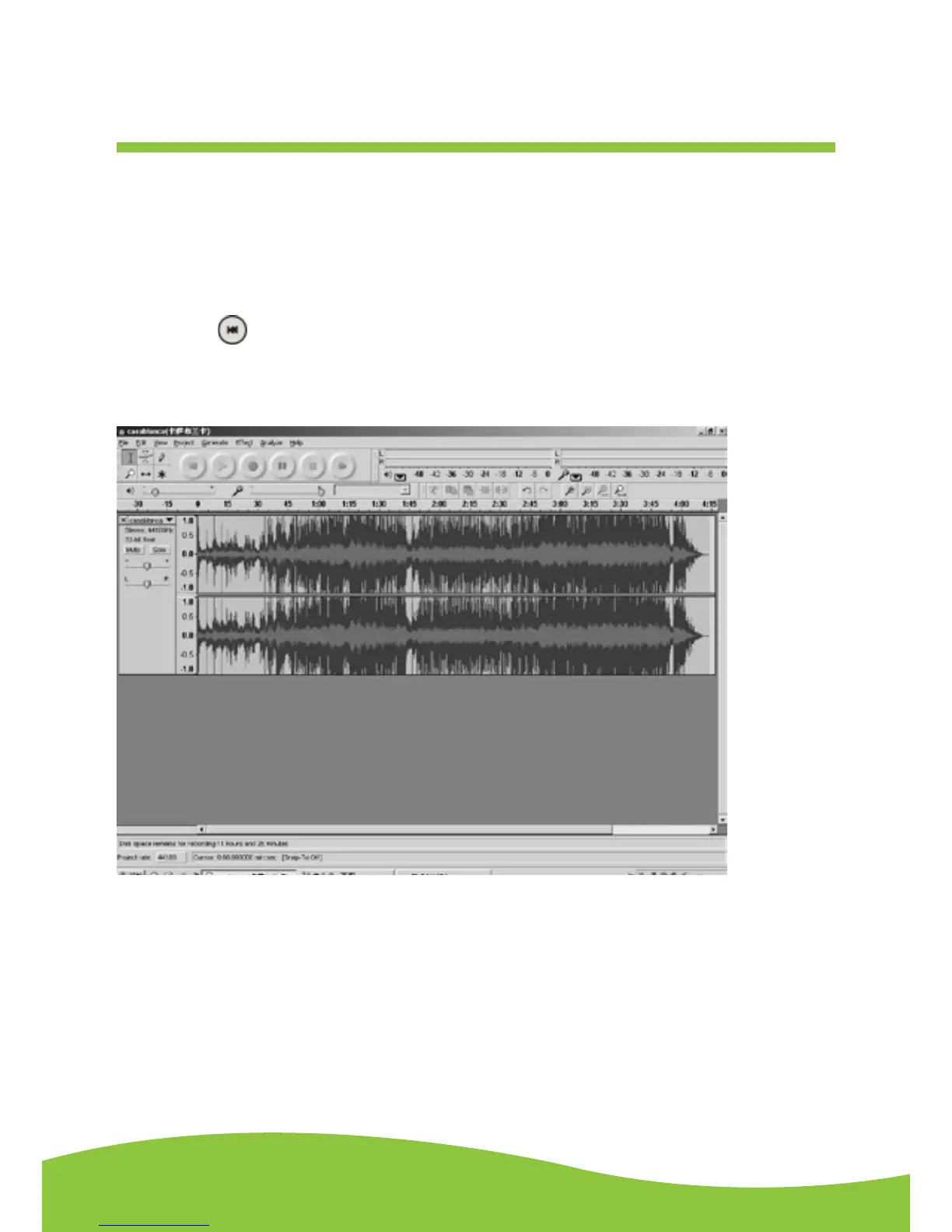
1. Press the ( ) button to return to the beginning of the first song.
2. For example: You have 2 songs uploaded (before exporting). The duration of the first song is from
0:00 – 1:45 / the duration of the second song is from 1:45 – 4:00. (See time bar directly above
waves in interface below.)
(Suggestion: You can also write down the duration of the time that each song takes to upload while
it is playing by watching the wave lengths.)


 To Next Page