33Page
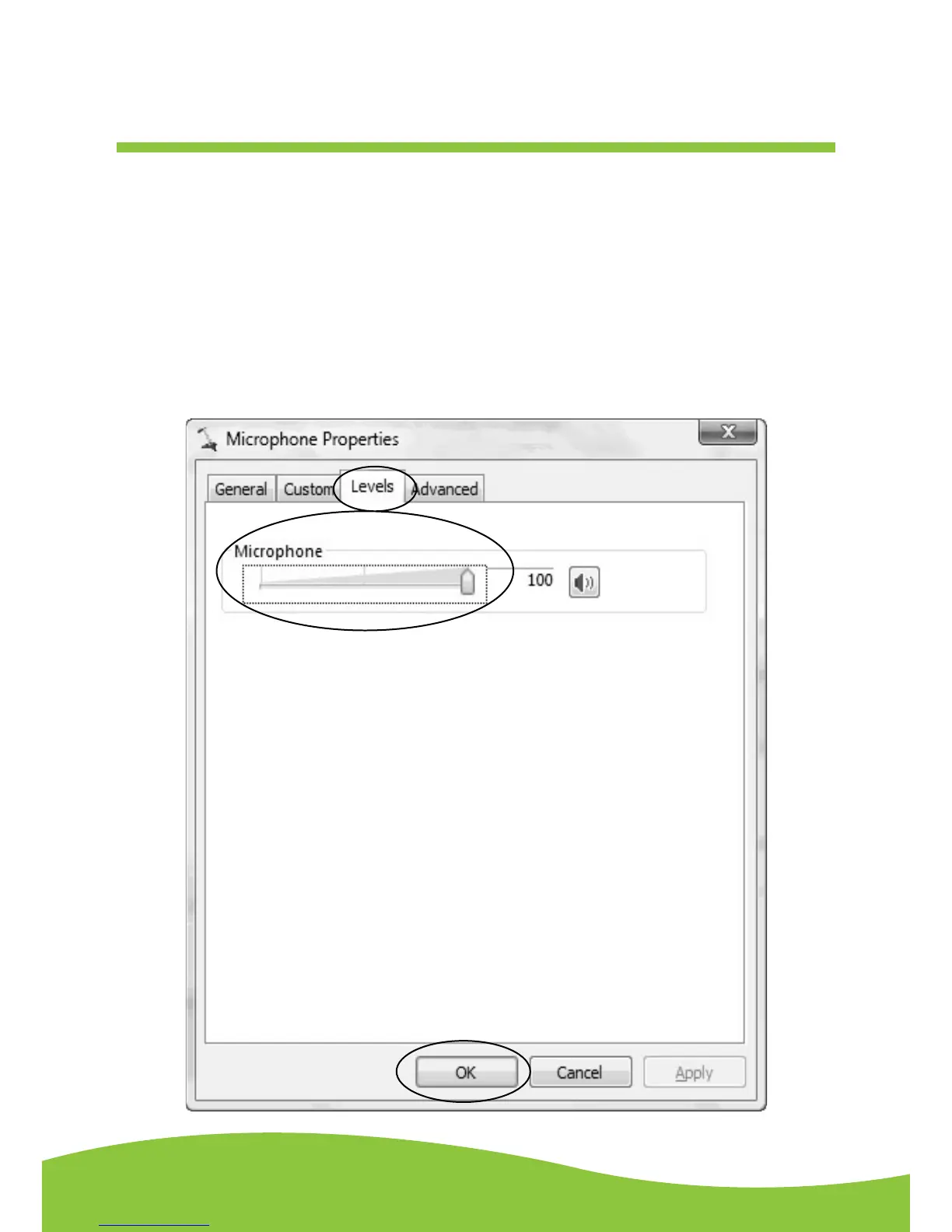
• Select “Levels” and adjust the Volume Reading. The reading is from 0 to 100. Normally it should
be 3-8. However, you may refer to the Input Level Indicator from the Audacity panel that doesn’t
excess 0. Then click “OK” on the Microphone properties interface and sound interface. Close the
Control Panel.
NOTE: There is no “Levels” tab in the “Sound” panel in some operating system, such as Windows
98, Windows 2000. For Window 7 users and Vista users, the “Levels” tab in the “Sound”
panel is available.
Adjustment for Windows 7
and some Vista system only


 To Next Page