44Page
Export and Save Files (After Recording is completed)
• When the song is finished, click the ( ) button on the screen. Then press the “STOP” button
on the USB Turntable.
• You have a music upload on your computer now.
• You may play back the song through your computer.
• Simply click the ( ) button to play.
• NOTE: You may visit the Audacity website at http://audacity.sourceforge.net for more detailed
information and operation, etc.
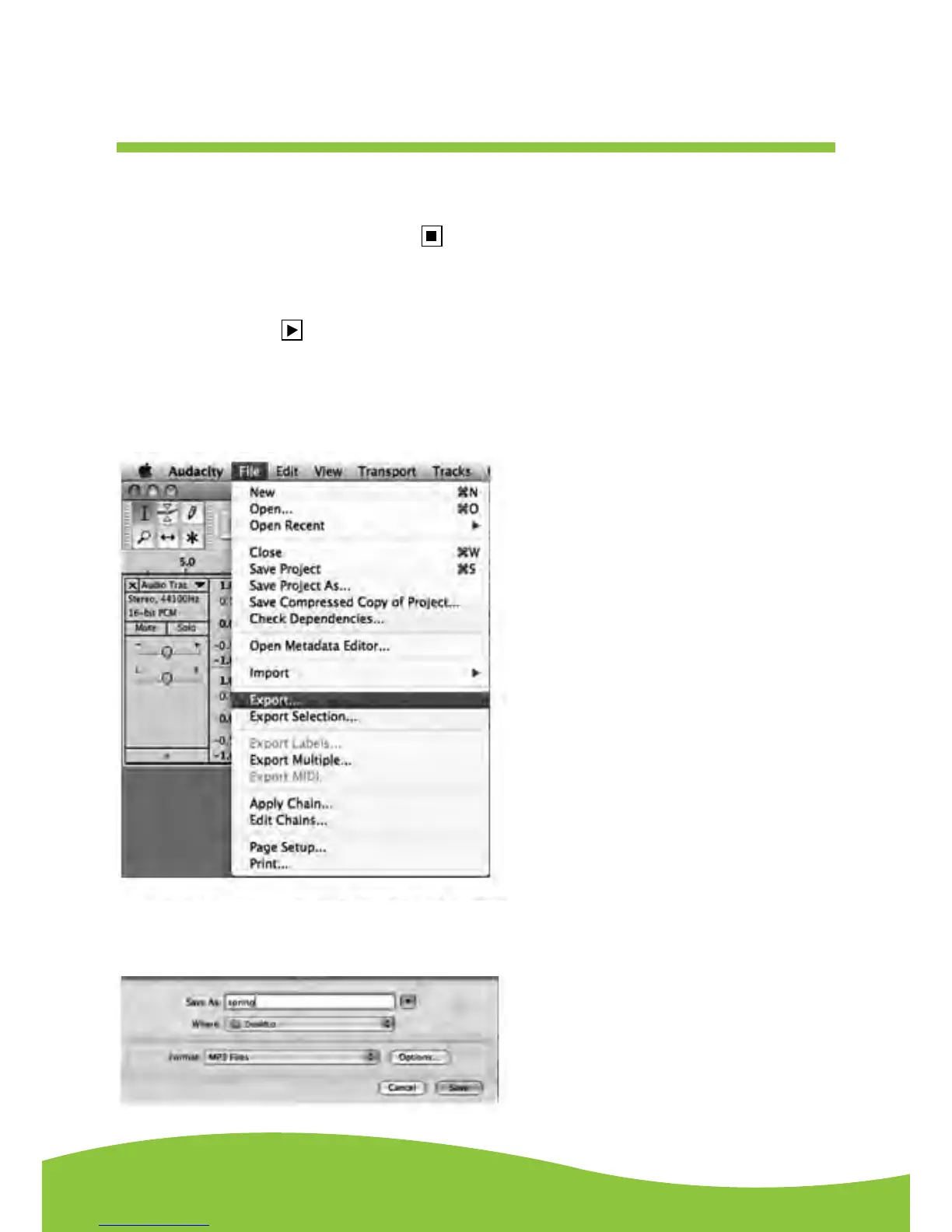
1. Click the file tab on the audacity interface. Select “Export” to save the file.
2. The dialog box will pop-up after clicking Export. It will default to MP3 format, however you will
need to ensure that the correct format is selected.


 To Next Page