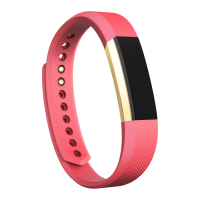
Update Alta
Update your tracker to get the latest feature enhancements and product updates.
When an update is available, a notification appears in the Fitbit app. After you start
the update, a progress bar appears on Alta and in the Fitbit app until the update is
complete. Keep your tracker and phone close to each other during the update.
Note: Updating Alta takes several minutes and may be demanding on the battery.
We recommend plugging your tracker into the charger before starting the update.
For more information, see help.fitbit.com.
22













 To Next Page