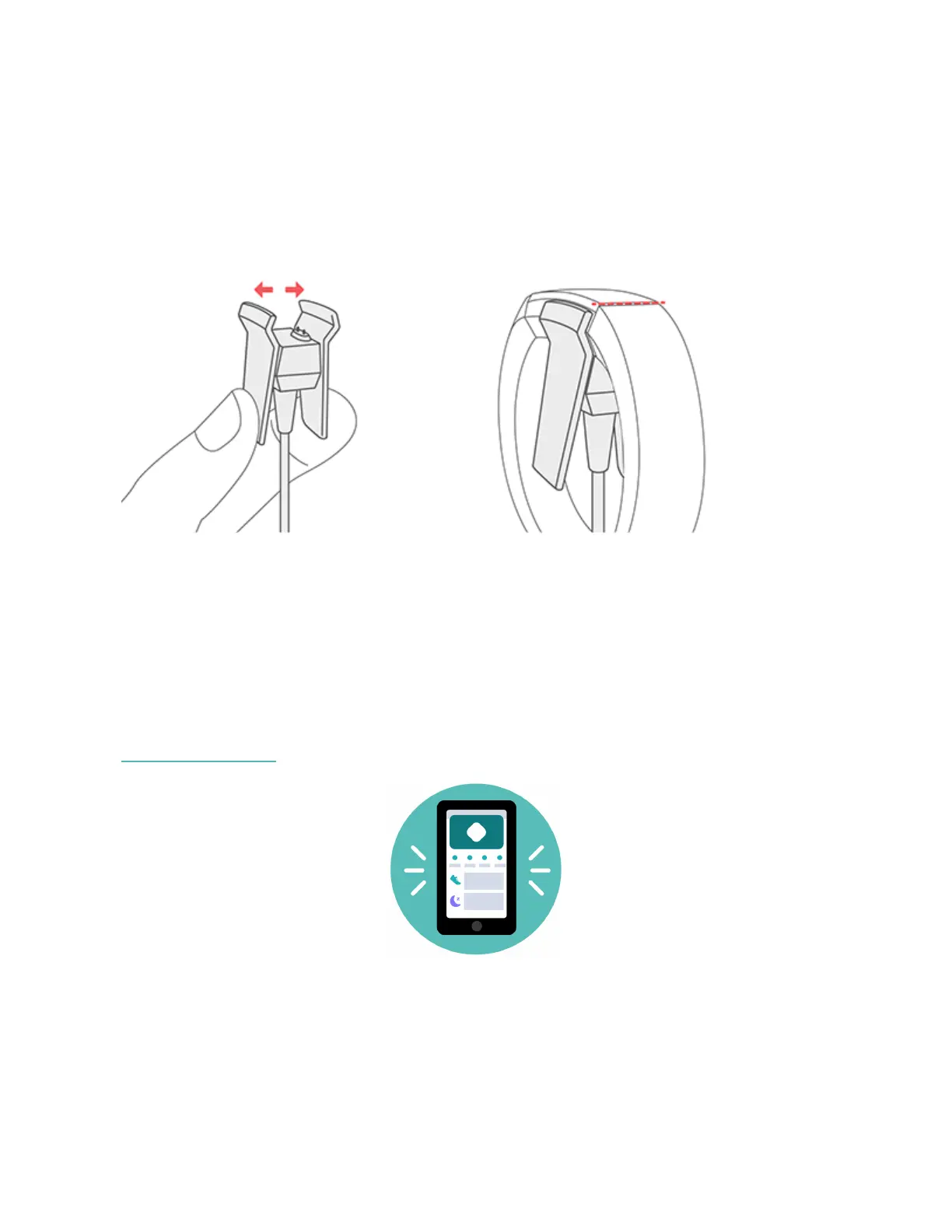
1. Plug the charging cable into the USB port on your computer, or a UL-certified
USB wall charger, or another low-energy charging device.
2. Clip the other end of the charger into the port on the back of Alta. The pins of
the charging cable must be lined up with the charging port on Alta and
securely locked into place. You'll know the connection is secure when the
tracker vibrates and you see a battery icon on the screen.
Charging fully takes up to 2 hours. While the tracker charges, tap it to check the
battery level. A fully charged tracker shows a solid battery icon.
Set up with your phone
Set up Alta with the Fitbit app for iPhones and iPads or Android phones. The Fitbit
app is compatible with most popular phones and tablets. For more information, see
fitbit.com/devices.
To get started:
6













 To Next Page