Commissioning and testing CET.ACEC compact controller
20 FläktGroup DC-2017-0104-GB 2018-05/R1 • Subject to change
4.2.2 Change of 1st level parameters
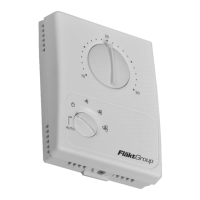
For access to the "Parameter Setup Mode'', please proceed as follows:
• Set the SEL 0 rotary switch to 10 °C.
• Set the SEL 1 rotary switch to the position AUTO.
• Press SEL 2 and 3 simultaneously for longer than five seconds.
9 As confirmation that the compact controller is now in "Parameter Setup Mode'', LED
1 alternately blinks red and green for approximately three seconds.
9 After approximately three seconds,
- LED 1 lights continuously red or
- LED 1 lights continuously green, if parameter 1 was set to AUTO.
• Now with rotary switch SEL 0, select the parameter which you would like to change
and use the rotary switch SEL 1 to select the desired setting.
9 If this setting is already available, LED 1 continuously shines green.
• If the LED 1 lights up red, press the key SEL 2, which should make LED 1 now shine
continuously green.
• If you still want to change or check other parameters, proceed as described above.
• If you wish to save these settings, you must press SEL 2 longer than five seconds.
9 As confirmation that the settings have been saved, LED 1 blinks three times green,
and then the compact controller leaves the "Parameter Setup Mode"'.
In summary: The rotary switch SEL 0 is used to select the desired parameter
Use rotary switch SEL 1 to determine the settings for these parameters.
Check the parameter settings
You can use rotary switch SEL 1 to check the setting for each parameter. LED 1 shines
green for the position of the rotary switch that is set, and red for another position.
31 PRIORITY SETTING ROOM
TEMPERATURE SETPOINT
Determines the priority between the manual rotary switch
(LOCAL) or the setpoint via Modbus (REMOTE)
LOCAL
REMOTE
LOCAL
32 Priority setting Fan
Operation
Determines the priority between the manual rotary switch
(LOCAL) or the setpoint via Modbus (REMOTE)
LOCAL
REMOTE
LOCAL
NOTICE!
The compact controller automatically leaves the "Parameter Setup Mode" if keys
or rotary switch are not touched for more than two minutes.


 To Next Page