27
English
ATTENTION:
The dehumidi er must be placed in a
ver cal posi on for at least 12 hours
before use.
Do not a empt to replace the power cord
or plug, as this is a dangerous opera on.
Have them replaced immediately by a
Flama-authorized technical assistance
service or by similarly quali ed technicians
to prevent danger.
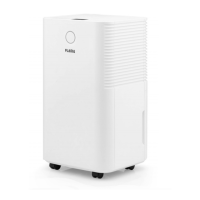
DESCRIPTION
1. Control panel
2. Indicator light
3. Water tank
4. Filter
5. Plug for con nuous drainage
6. Handle
7. Wheels
8. STANDBY bu on (ON/OFF)
9. MODE bu on
10. TIMER bu on
11. Humidity and mer control bu ons
12. Display
13. LOCK bu on
14. Filter REST/RESET bu on
15. Fan control bu on
OPERATING INSTRUCTIONS
TURNING THE APPLIANCE ON AND
OFF
Ensure that the water tank is in the correct
posi on (a er turning on the appliance for
the rst me, if the full tank indicator turns
on, remove the tank and put it back in the
correct posi on).
Make sure that the appliance is plugged
into the wall outlet.
Turn o the appliance, unplugging it from
the wall outlet.
INDICATOR LIGHT (2)
Ambient humidity <45% - blue light.
45≤ ambient humidity ≤65% - green light.
Ambient humidity >65% - red light.
If the display shows E0, E2, CL, CH, LO or HI,
the light will turn red.
CONTROL PANEL
STANDBY bu on
Press the STANDBY bu on and the
dehumidi er will begin to operate with an
ini al humidity se ng of 60%, standard
automa c mode and high fan mode.
Press the POWER bu on again and the
dehumidi er will cease
opera on.



 To Next Page