24 www.ama.pt
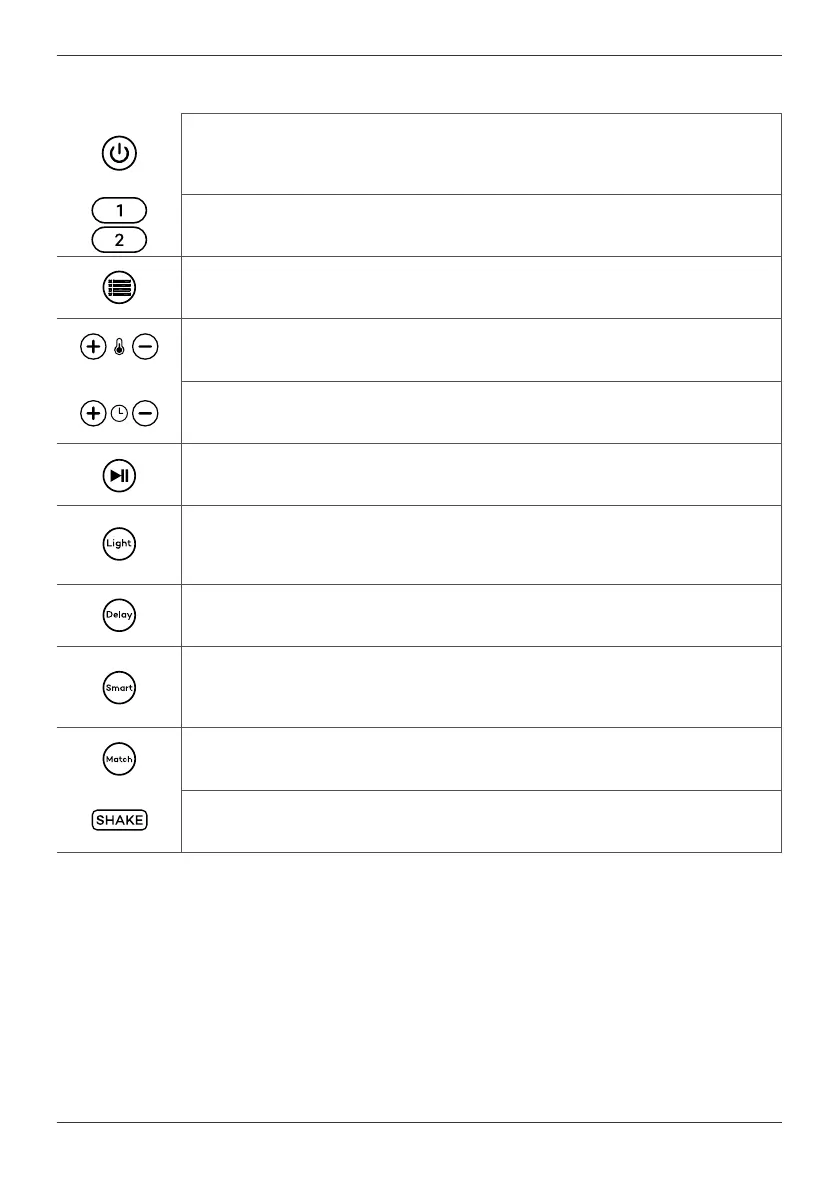
Control panel
ON/OFF buon
Red light – the fryer is in standby mode.
White light – the fryer is running.
Basket 1 or basket 2 check buon
Press the buons to select basket 1 or basket 2.
Menu buon (automac programs)
Press the Menu buon to choose the program you want.
Temperature adjustment buons
Press the buons to increase/decrease the temperature.
Time adjustment buons
Press the buons to increase/decrease the me.
Start/Pause buon
Press the buon to start or to pause the selected program.
Funcon Inner light (light)
Press the buon to illuminate the inside of the basket. The light goes
o aer 60 seconds.
Delayed start funcon
Press the buon to schedule the deferred start of a program.
Funcon buon "at the same me" (Smart)
Press the buon so that dierent programs end at the same me.
Funcon buon "the same program" (Match)
Press the buon to select the same program for both baskets.
698FL
All buttons and icons are white, except for OnOff button which is red.
Automac shake funcon (SHAKE)
Noes when the program is halfway through the me.
Usage
Note: The fryer emits an audible warning
each me you press a buon.
When connected to the power supply, the
fryer will display the ON/OFF buon in red;
the fryer is in standby mode.
Press the ON/OFF buon; the fryer enters
operang mode, and the control panel
becomes acve.
NOTE - Aer 180 seconds without any
acon, the fryer will automacally shut o.
Press the basket selecon buon (Cuba
1 or Cuba 2); the buon blinks, and the
basket display blinks.
Use the Menu buon to select an
automac program; you can adjust the
temperature or me by pressing the
temperature or me adjustment buons.



 To Next Page