EasyManua.ls Logo

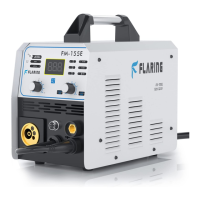
FLARING FM 155E - User Manual

FLARING FM 155E
31 pages
Print Icon
To Next Page IconTo Next Page
Loading...
- 1 -
Operation Manual
FM155E MIG Welding Machine

Questions and Answers

  • J
    James NicholsAug 12, 2025
    What to do if the FLARING Welding System shows abnormal indicator lights?
    • H
      haleyjimenezAug 12, 2025
      If the meter shows, the fan works normally, but there are abnormal indicator lights on your FLARING Welding System, it might be due to over-current protection. Try turning off the power switch and restarting the machine after the abnormal indicator light has winked. Alternatively, it could be overheating protection; in this case, wait for about 2-3 minutes until the machine resets itself without turning off the power switch.
  • P
    Phillip MorrisAug 21, 2025
    Why is there no welding output from my FLARING Welding System?
    • M
      Mark MunozAug 21, 2025
      If the meter shows a reading and the fan is working normally, but there is no welding output from your FLARING Welding System, first check if all the sockets in the machine are properly connected. Also, inspect the output terminal joint for any open circuits or bad connections. Finally, verify that the control cable on the torch is not broken and that the switch is functioning correctly.
  • J
    Jessica PenaAug 31, 2025
    How to troubleshoot a FLARING Welding System with no power?
    • M
      Melissa CarsonSep 1, 2025
      If the meter shows nothing, the fan doesn't rotate, and there is no welding output from your FLARING Welding System, start by confirming that the power switch is turned on. Next, ensure that the input cable has a power supply. After that, check if the three-phase commute bridge is damaged.

FLARING FM 155E Specifications

General IconGeneral
CategoryWelding System
Welding processMIG/MAG
Protection ClassIP21S
ModelFM 155E
Wire Diameter0.6 - 0.8 mm