08
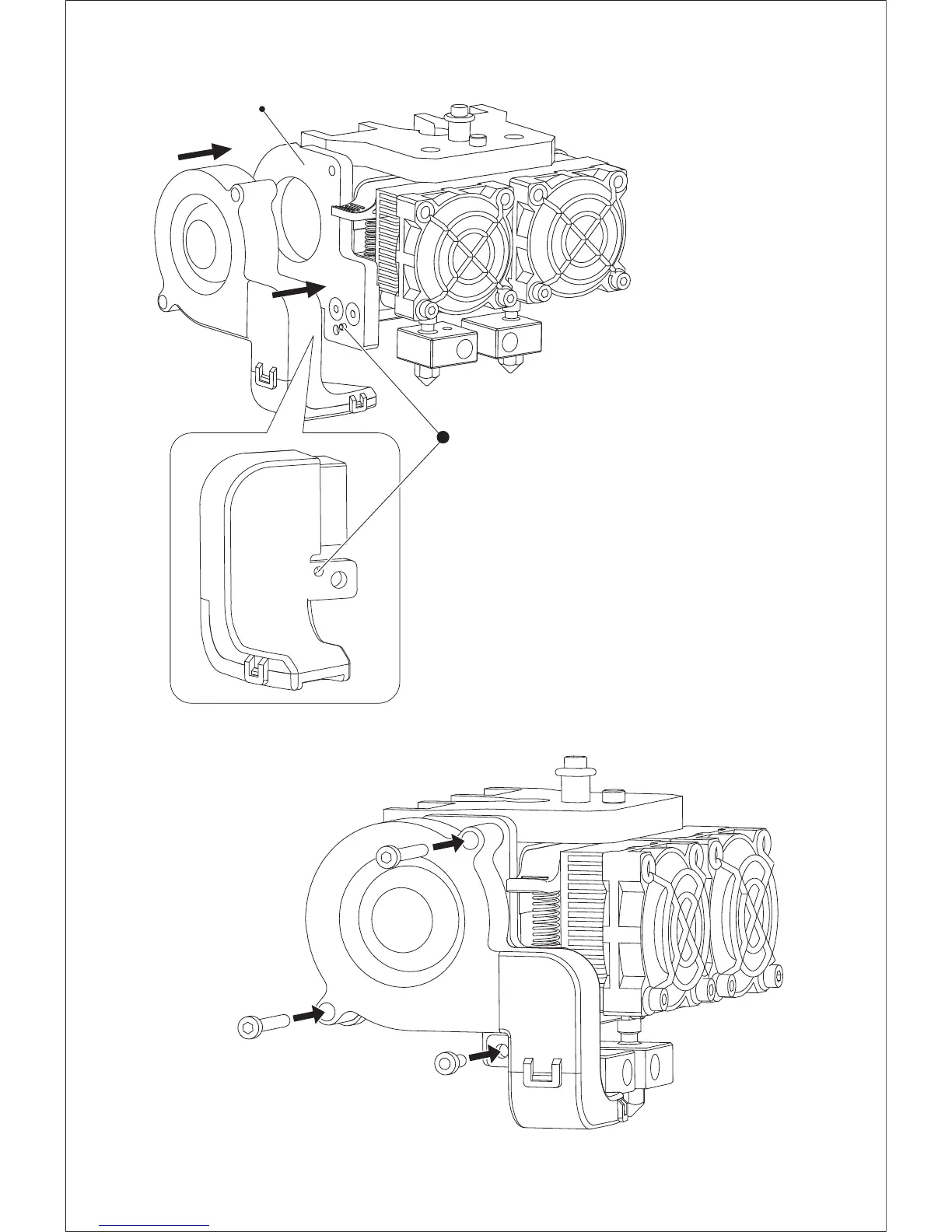
1. Place the turbofan sub-assembly besides the
turbofan seat.
2. Insert the bump on the turbofan seat to the
turbofan sub-assembly.
3. Screw the two bolts in.
4. Take a M3 x 6 bolt from the extruder’s accessory
kit and complete installation according to the
instruction below.
Turbofan Seat
B
ol
t Mo
un
ti
n
g
B
ol
t Mo
un
ti
n
gB
ol
t Mo
un
ti
n
g
M3 x
6
B
ol
t Mo
u
n
ti
n
g
B
ol
t
Mount
i
ng
Align the bump on the turbofan
seat to the hole in turbofan
sub-assembly.















 To Next Page