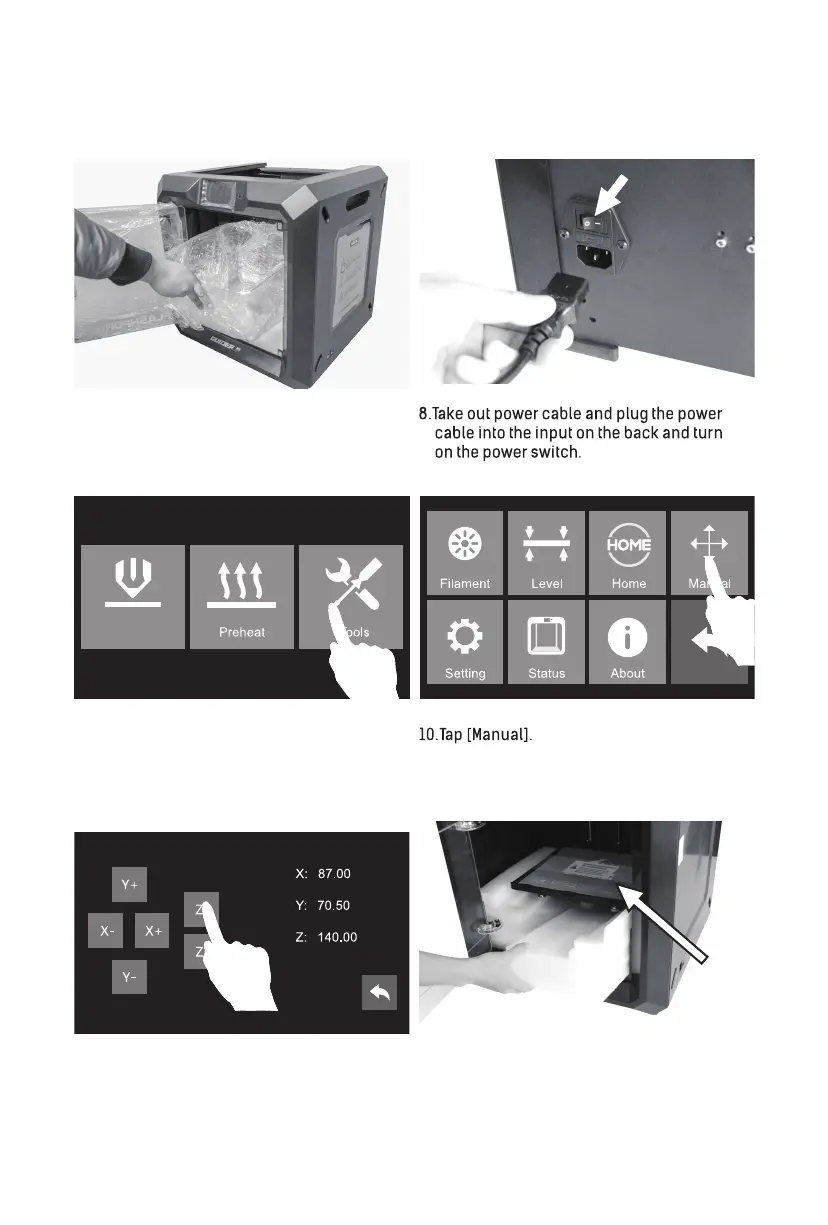
9. Tap [Tools].
Build
Power Switch
12. Remove both bottom foam pieces. Tear off
the stretch wrap.
11. Tap [Z-] to partially elevate the build plate.
Tap touch screen button on the right side of
touch screen, go back to home screen.
7. Tear off tape and the stretch wrap of front door.
Squeeze top lid slightly from both sides to the
middle so as to take top lid successfully.
Remove the stretch wrap of top lid.
Tear off the
stretch wrap
02














 To Next Page