
EasyManua.ls Logo

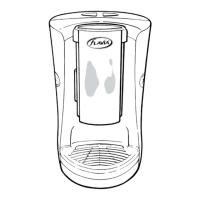
FLAVIA Creation 150 TM - User Manual

FLAVIA Creation 150 TM
34 pages
Print Icon
To Next Page IconTo Next Page
Loading...
FLAVIA® Creation 150
TM/MC
User Guide
Manuel d’utilisation
English/Français
www.myflavia.com
MD

Questions and Answers

  • E
    Evan MooreAug 19, 2025
    Why are none of the indicator lights on my FLAVIA Creation 150 TM Dispenser illuminated?
    • D
      Deanna YoungAug 19, 2025
      If none of the indicator lights on your FLAVIA Dispenser are on, check that the plug is correctly inserted into the socket and the power switch is turned on. Also, if the dispenser hasn't been used for 120 minutes, it enters ‘Power Save’ mode. To ‘wake’ it, press any selection button or open the pack door.
  • Z
    zsmithAug 21, 2025
    What to do if my FLAVIA Creation 150 TM is leaking water?
    • D
      Desiree CollinsAug 22, 2025
      If water is leaking from your FLAVIA Dispenser, make sure the pack door is fully closed during brewing. Also, ensure the cold tank isn't filled past the MAX line and that the drip tray isn't overflowing. If the issue continues, switch off and unplug the dispenser immediately.
  • D
    Daniel ParkAug 25, 2025
    Why won't my FLAVIA Creation 150 TM brew after pressing the selection button?
    • T
      tlawrenceAug 25, 2025
      If your FLAVIA Dispenser isn't brewing after you press a selection button, make sure the pack is fully inserted and the pack door is completely closed.
  • N
    Natalie BenderAug 26, 2025
    What does it mean when the 'HOT CHOCOLATE' and 'HOT WATER' lights flash on my FLAVIA Creation 150 TM?
    • G
      George HudsonAug 26, 2025
      If the ‘HOT CHOCOLATE’ and ‘HOT WATER’ indicator lights on your FLAVIA Dispenser are flashing quickly together, the brewer hasn't been primed. It must be primed with water before first use. Prime the brewer by following the instructions. Do not switch the brewer off during priming; if the cycle isn't completed, restart it.
  • S
    Shannon WalshAug 28, 2025
    Why is my FLAVIA Creation 150 TM not delivering hot water?
    • J
      johnsonwendyAug 28, 2025
      If your FLAVIA Dispenser isn't dispensing hot water when you press and hold the ‘HOT WATER’ button, ensure there's no pack inserted and that the pack door is fully closed.
  • C
    chasejosephAug 30, 2025
    What does it mean when the 5 indicator lights are flashing quickly on my FLAVIA Creation 150 TM?
    • M
      Mr. Derek MorganAug 30, 2025
      If the 5 indicator lights on your FLAVIA Dispenser are flashing quickly, check that the cold tank is correctly fitted to the machine and filled to the “MAX” line.
  • C
    Curtis SandersSep 1, 2025
    How to stop liquid from splashing out of my FLAVIA Creation 150 TM Dispenser?
    • T
      Tiffany KennedySep 1, 2025
      If liquid splashes out of or misses the cup when using your FLAVIA Dispenser, make sure the brew head is as close to the top of the cup as possible during brewing and that your cup is centered on the cup stand.
  • A
    Anne TorresSep 3, 2025
    Why are the REGULAR, OVER ICE, CAPPUCCINO, and LATTE buttons flashing on my FLAVIA Dispenser?
    • C
      Christopher IngramSep 3, 2025
      If the REGULAR and OVER ICE buttons flash in an alternating pattern with the CAPPUCINNO/LATTE button on your FLAVIA Dispenser, it means a pack needs to be removed. Remove the pack to continue.
  • A
    Alexandria GrossSep 6, 2025
    What to do if my FLAVIA Creation 150 TM Dispenser will not enter the priming mode?
    • W
      Wesley PrinceSep 6, 2025
      If your FLAVIA Dispenser won't enter priming mode, ensure there is no pack inserted and that the pack door is fully closed.
  • A
    Allison RamirezSep 7, 2025
    Why is the 'HOT WATER' light on but my FLAVIA Creation 150 TM is silent?
    • S
      sarah10Sep 7, 2025
      If the ‘HOT WATER’ indicator light is steadily on, but the FLAVIA Dispenser isn't making noise, the priming or flush cycle has likely been paused. Press the ‘HOT WATER’ button to resume the priming cycle.

Summary

Safety Precautions

General Use Safety

Safety instructions for general use of the FLAVIA Brewer to prevent harm or injury.

Electrical Supply and Cord Safety

Safety precautions related to the electrical supply and cord of the FLAVIA Brewer.

Installation of Your Flavia Brewer

Electrical Supply Requirements

Information regarding the necessary electrical supply and connection for the Brewer.

Setting Up Your Brewer

Priming Your Brewer

Procedure for priming the Brewer before its first use.

Preparing a Beverage;Drink

Brewing a Cappuccino;Latte

Brewing Process

Detailed steps for brewing Cappuccino and Latte drinks using two packs.

Daily Care of Your Brewer

Water Filter Replacement

Periodic Maintenance

Descaling Your Brewer

Procedure for de-scaling the Brewer to maintain performance and longevity.

Troubleshooting

FLAVIA Creation 150 TM Specifications

General IconGeneral
ModelCreation 150 TM
BrandFLAVIA
MaterialPlastic
TypeSingle-serve coffee machine
Power Supply120V
Beverage OptionsCoffee, Tea, Hot Chocolate
ColorBlack