www.h2ofilters.ca
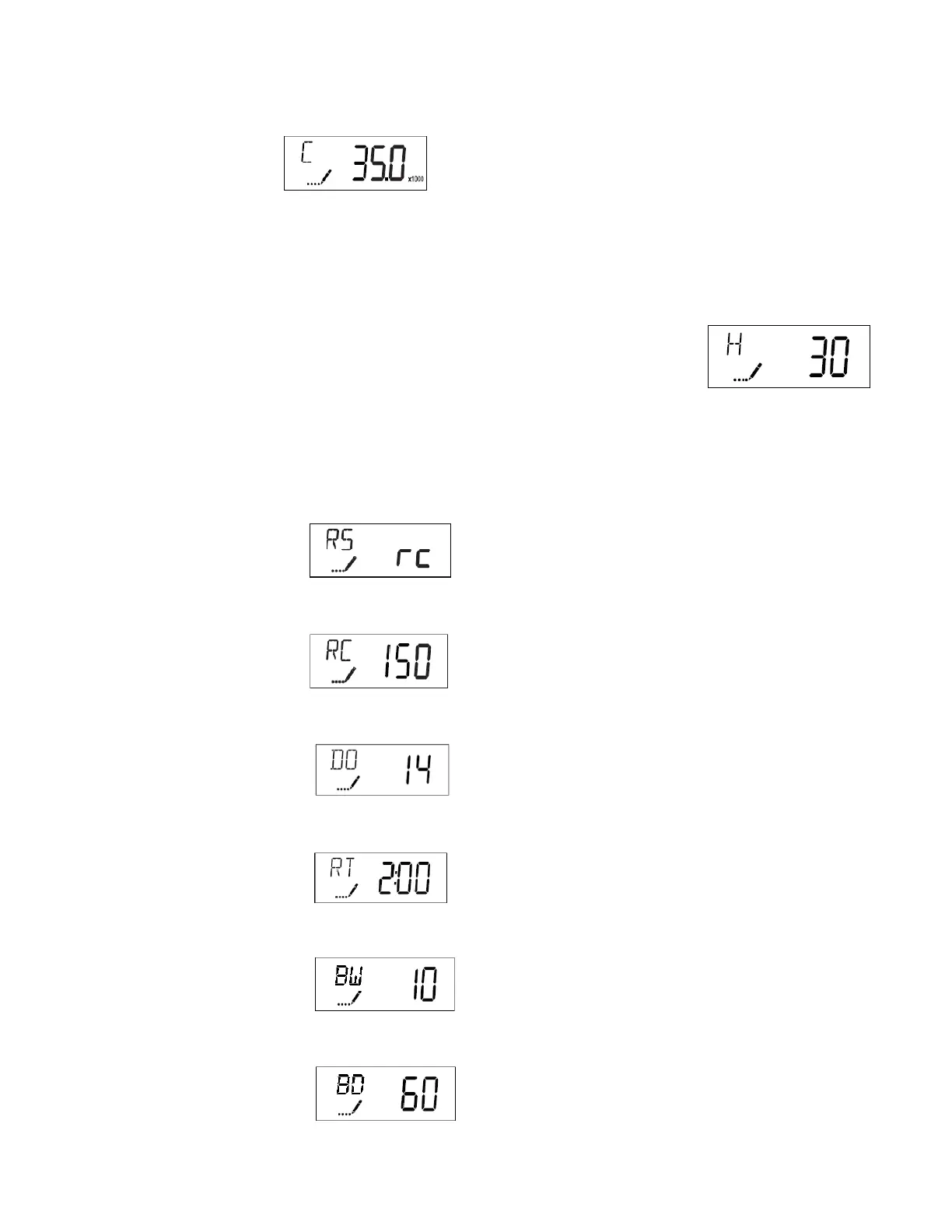
Next display should be:
You may need to use the arrows to adjust this setting. For a 1.5 cubic foot (45,000 grain) softener set
this to 35.0, for a 1.0 cubic foot (30,000 grain) softener, set it to 27.0.
Press the Extra Cycle button to advance to the next step.
Next display should be the hardness level. Use the arrow buttons to adjust
the number to the amount of grains of hardness in your water. This should
be the amount of hardness in your water + ppm of iron x 4.
Example: If you have 12 grains of hardness and 2 ppm of iron you need to enter 20. 12 + (2x4) = 20
Press the Extra Cycle button to advance to the next step.
Next display should be:
Press the Extra Cycle button to advance to the next step.
Next display should be:
Press the Extra Cycle button to advance to the next step.
Next display should be:
Press the Extra Cycle button to advance to the next step.
Next display should be:
Press the Extra Cycle button to advance to the next step.
Next display should be:
Press the Extra Cycle button to advance to the next step.
Next display should be:
Press the Extra Cycle button to advance to the next step.


 To Next Page