PAGE 14 QualityWaterForLess.com Help: 888-426-5001
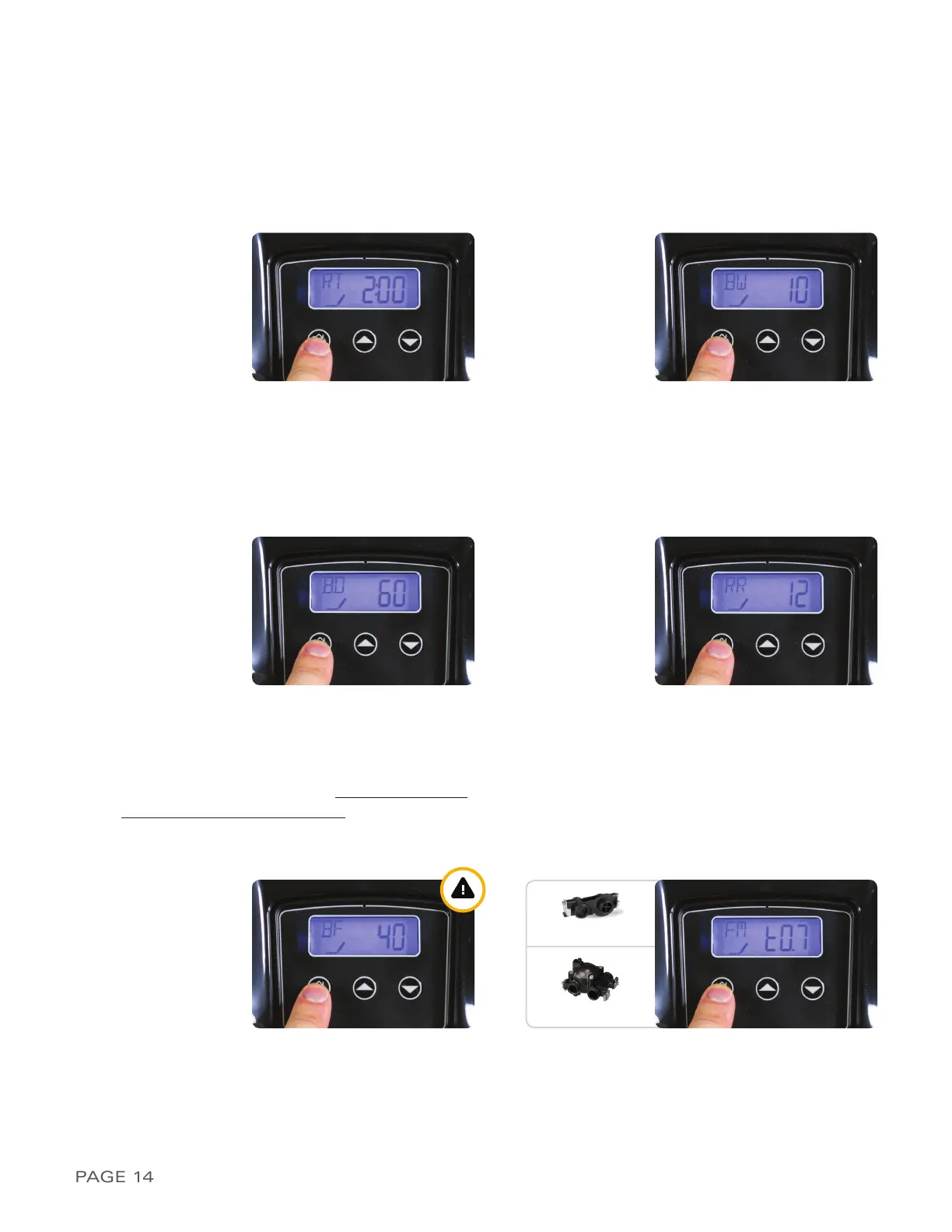
17) The display may now show
BF / 10
. This indi-
cates the length of the Brine Fill cycle during re-
generation. i
Use the value listed on page 2/
calculated on pages 4 and 5
and then use the
UP or DOWN button to adjust this. Then press
REGEN as shown in Figure 14-E
18) The display may now show
FM / t0.7
as shown
in Figure 14-F. This indicates Flow Meter type
3/4” Turbine. Set the setting to t0.7 if you have
the 3/4” turbine meter or P0.7 for the 3/4” paddle
wheel meter. Press the REGEN button to ad-
vance to the home screen
FIGURE 14-A
FIGURE 14-C
FIGURE 14-B
FIGURE 14-D
13) The display should now show
RT / 2:00
as
shown in Figure 14-A. This indicates the system
will regenerate at 2:00 AM following the day the
water consumption has passed the calculated
capacity. If you prefer an alternate regeneration
time, please enter it here and then press the
REGEN button to advance
14) The display should now show
BW / 10
as
shown in Figure 14-B. This indicates Backwash
time is 10 minutes long. Do not change this
value and press the REGEN button to advance to
the next setting
15) The display should show
BD / 60
as shown in
Figure 14-C. This indicates Brine Draw time is 60
minutes long. Do not change this value and press
the REGEN button to advance to the next setting
16) The display may now show
RR / 12
as shown in
Figure 14-D. This indicates Rapid Rinse time is 12
minutes long. Do not change this value and press
the REGEN button to advance to the next setting
FIGURE 14-E FIGURE 14-F
TURBINE
PADDLE


 To Next Page