PAGE 15Help: 888-426-5001 QualityWaterForLess.com
FIGURE 15-A FIGURE 15-B
FIGURE 15-C
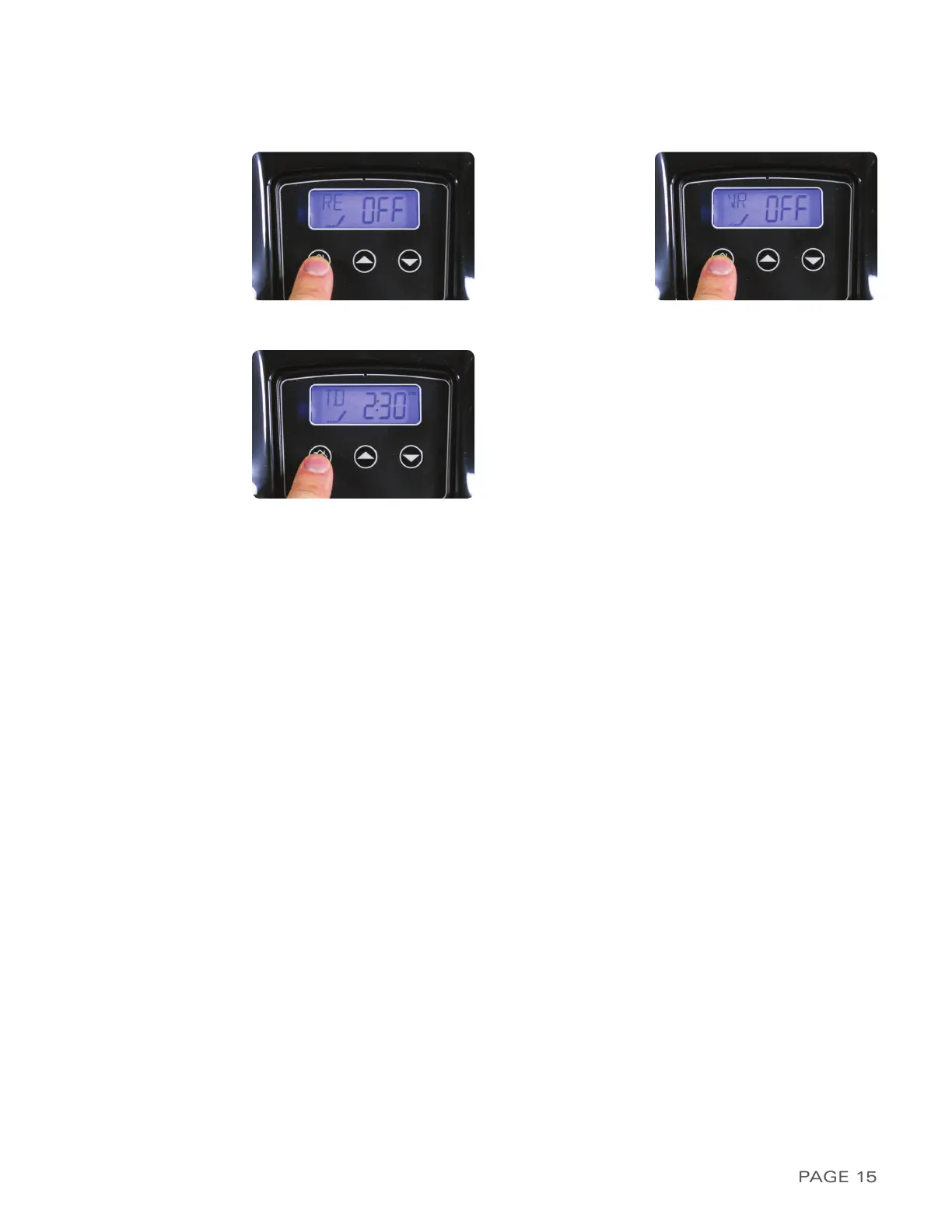
19) The display may now show
RE / OFF
as shown
in Figure 15-A. This indicates Time Relay Off. Do
not change this value and advance
20) The display may now show
VR / OFF
as shown
in Figure 15-B. This indicates Flow Relay Off. Do
not change this value and advance
21) The system will now exit Master Program-
ming mode and the display should now show
the time of day followed by the number of
gallons remaining as shown in Figure 15-C.
Now change the time of day to your current
time with either the UP or DOWN button.
Be
careful to note the presence or absence
of the PM indicator in the top right corner
.
Confirm the time with the REGEN button


 To Next Page