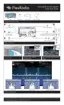
Step 3: Remove Kapton tape from Micro SD card connector assembly.
Step 4: Remove old Micro SD card by sliding top latch of connector, lifting latch allowing it to rotate 180
degree on its hinge fully to the open position. Remove SD card and set aside to ship back to Flex.
Step 5: Install new Micro SD card in reverse order of Step 4. (Note: It is possible to get the latch closed
without seating the SC card properly. Ensure SD card is seated completely flush against the connector
and that the latch closes without being forced.)
Step 6: Connect 13.8v to DC input and connect to ethernet.



 To Next Page