Page 10 of 73
Copyright 2023 FlexRadio. All Rights Reserved. 4 January 2023 (FW:3.7.28 Utility:3.7.28)
3 Power Genius XL Setup, Configuration, and Testing
3.1 Unpacking and Initial Setup
The following accessories and materials are included with your Power Genius XL amplifier. Carefully remove the
amplifier from its shipping container, unpack, and identify the items listed below:
• One (1) Power Genius XL amplifier
• One (1) 2.4m (8 ft.) AC power cord with C13 connector and pigtails
• One (1) 2m (6 ft.) Ethernet cable
• One (1) Power Genius XL User Guide
In addition to the above, the following are required for the initial setup of the amplifier:
• HF / 6-meter transceiver and antenna system
• Suitable coax jumper cables for interconnection of the transceiver and amplifier
Place your Power Genius XL on a flat, stable surface. Ensure the amplifier has at least 30cm (12 inches) of open
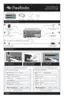
space in front and back to provide adequate cooling. Follow these steps and refer to the following diagram to
connect your Power Genius XL:
1. Connect the transceiver antenna output to the Port A RF Drive socket on the amplifier with a suitable
coax jumper cable.
2. Connect the antenna to the Port A RF Output socket.
3. Apply an AC power plug to the power cable appropriate to your local electrical environment. Connect
the cable to the AC power source
and plug the C13 connector into the back panel's power socket. The
amplifier will accept 90 to 250 volts AC, 50 or 60 Hz. If powered by less than 200 volts, it will operate at
a reduced maximum output power level (see section 4.6, 120 VAC Operations for details.)
4. Turn the amplifier on using the power switch on the back panel.
5. Verify that the amplifier starts correctly, as shown below.
6. Configure the amplifier for use following one of these procedures:
6.1. If the amplifier will be used in a Local Area Network with FlexRadio Signature Series transceivers
and with support from a Windows™ PC, follow the instructions in section 3.2, Configuring for use
in FlexRadio environments.
6.2. If the amplifier will be used with a FlexRadio Signature Series “M Model” transceiver (6400M,
6600M) follow the instructions in section 3.3, Configuring for use with stand-alone FlexRadio M
model transceivers.
6.3. In all other cases, follow the instructions in section 3.4, Configuring for Use with Other Exciters.



 To Next Page
 Loading...