Page 13 of 73
Copyright 2023 FlexRadio. All Rights Reserved. 4 January 2023 (FW:3.7.28 Utility:3.7.28)
3.2 Configuring for use in FlexRadio environments
When the Power Genius XL is used in a FlexRadio environment, the amplifier should be connected to the Local
Area Network (LAN) with the supplied Ethernet cable and must be configured to work with the transceiver or
transceivers that will drive it. The basic configuration of the amplifier is accomplished using the Power Genius
XL Utility program. Please see section 15.1, Installing the Power Genius XL Utility, for installation instructions.
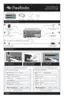
When the amplifier is ready to configure, it should be connected in a fashion similar to the following:
3.2.1 Connecting the Power Genius XL Utility program
Start the Power Genius XL Utility program. It will automatically discover your Power Genius XL amplifier, and
you should see something like this:
If you do not see your Power Genius XL in the Available devices list, please:
• Double-check your network connections and cables.
• Ensure the Power Genius XL is powered on, and an IP address is displayed on the front panel. See
section 3.1, Unpacking and Initial Setup for details.
• Check that the PC's firewall is configured to allow the Power Genius XL Utility to communicate over
your network. Opening a port in the firewall usually is performed during the utility installation process.



 To Next Page
 Loading...