Page 9
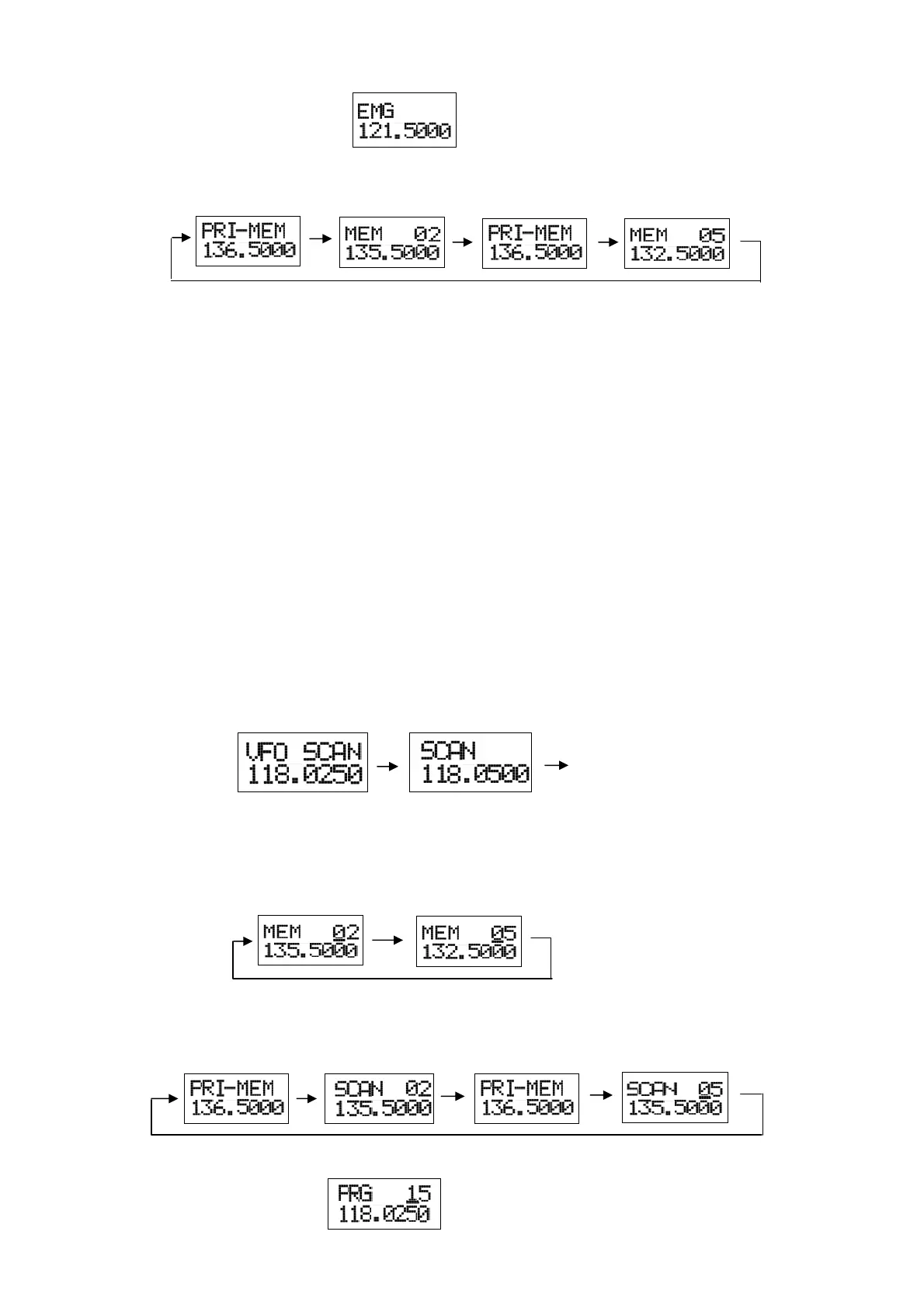
Press and hold this key for two seconds to activate the emergency frequency.
If the external memory button is pushed after the priority memory is called, it becomes
a priority scan.
⑤ LED Indicator
・ A clear display indicates a muted receive condition.
・ Steady green indicates Squelch open or a signal present.
・ Steady red indicates a transmit condition.
・ Flashing red indicates that the PTT has been on for longer than 50 seconds.
If the radio senses that the PTT has been pressed for more than five minutes (three
minutes or one minute is also selectable) the radio will automatically cease
transmission.
(This is helpful for indicating a possible stuck PTT or mike switch).
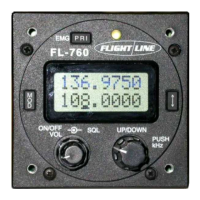
⑥ Mode
Selects five display pages.
A Default is 2 line frequency displays. The top line is the active frequency and the bottom
line is the standby frequency. Tuning the dial left or right will channel the MHz and
pressing the knob once will activate the kHz channeling (after 5 seconds of inactivity it
will revert to MHz). To transfer the standby frequency to the active simply hit the
transfer button (arrowed switch) once. Remember, the top line is always the active
frequency.
B Push in the mode button again to access the VFO scan display. To VFO scan hit the
arrow key.
C Push the mode button again to access the memory channel display. There are 99
memory channels that can be displayed. Turn the dial left or right to move the channels
up or down. To scan, hit the arrow key. To stop scanning, hit the arrows or activate the
PTT.
Note: If the memory channel is empty it will not be displayed.
D Push the mode button again to access the priority memory channel display. To
priority scan, press the arrow key.
The unit will now scan between the memory channel
and priority channel.
E Push the mode button again to access the program page.


 To Next Page