Page 8
6 OPERATION OF EQUIPMENT
6.1 General
Please read this section for the correct description and operation of this equipment.
6.2 Control Description
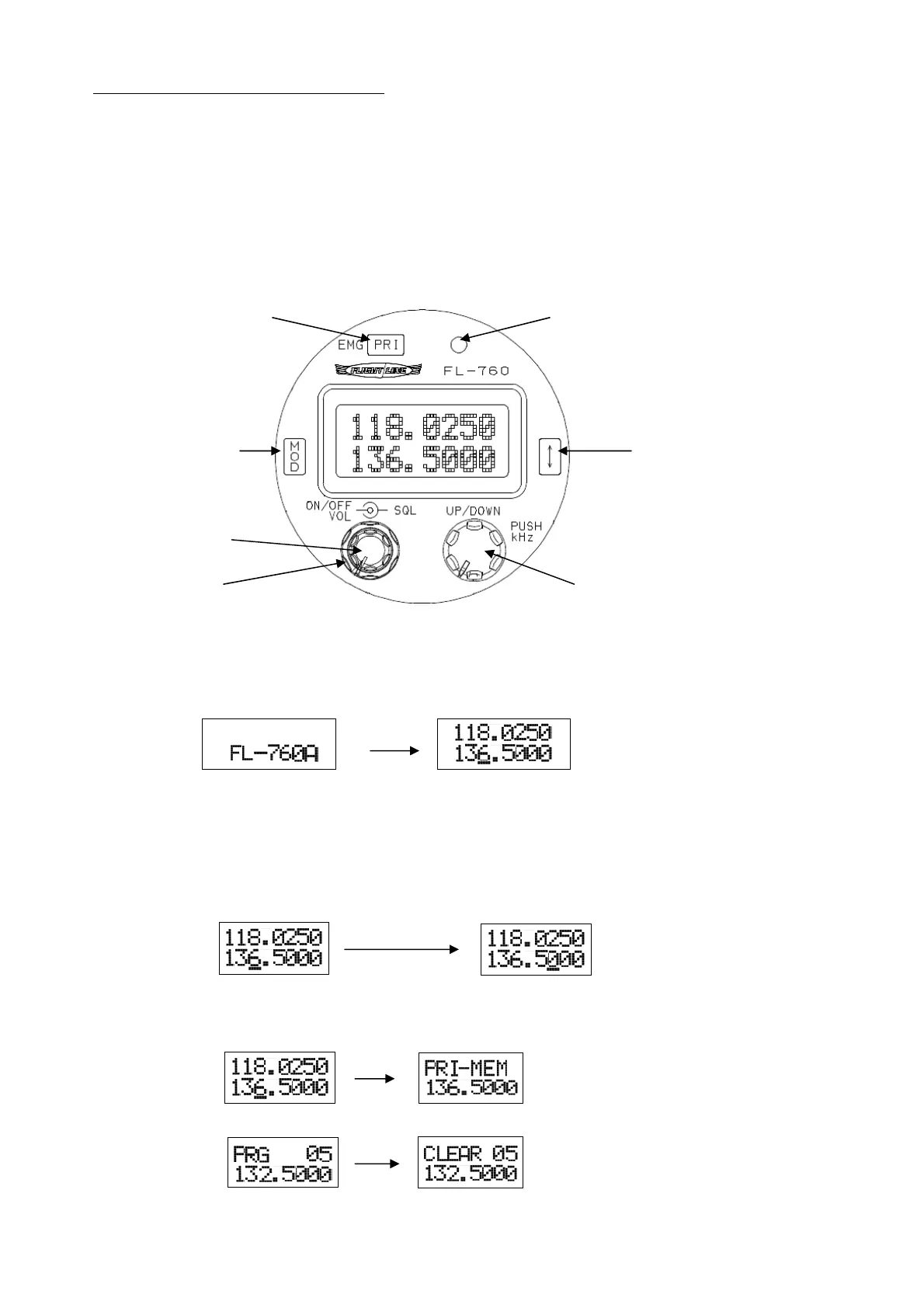
Following diagram shows the position of the controls.
④ ⑤
⑥ ⑦
①
② ③
① Volume and On/Off control
Turn fully anticlockwise to switch off. Turn clockwise to switch on and adjust volume.
② Squelch (mute) control
The outer ring control adjusts the mute threshold.
③ Up/Down /Push kHz
Turn clockwise or counter-clockwise to change the frequency.
Push knob to adjust kHz.
Push the knob
MHz step kHz step
④ Priority/Emergency
Activating this control will switch to priority memory.
It also doubles as memory channel delete.
A


 To Next Page