1. Start & Setting
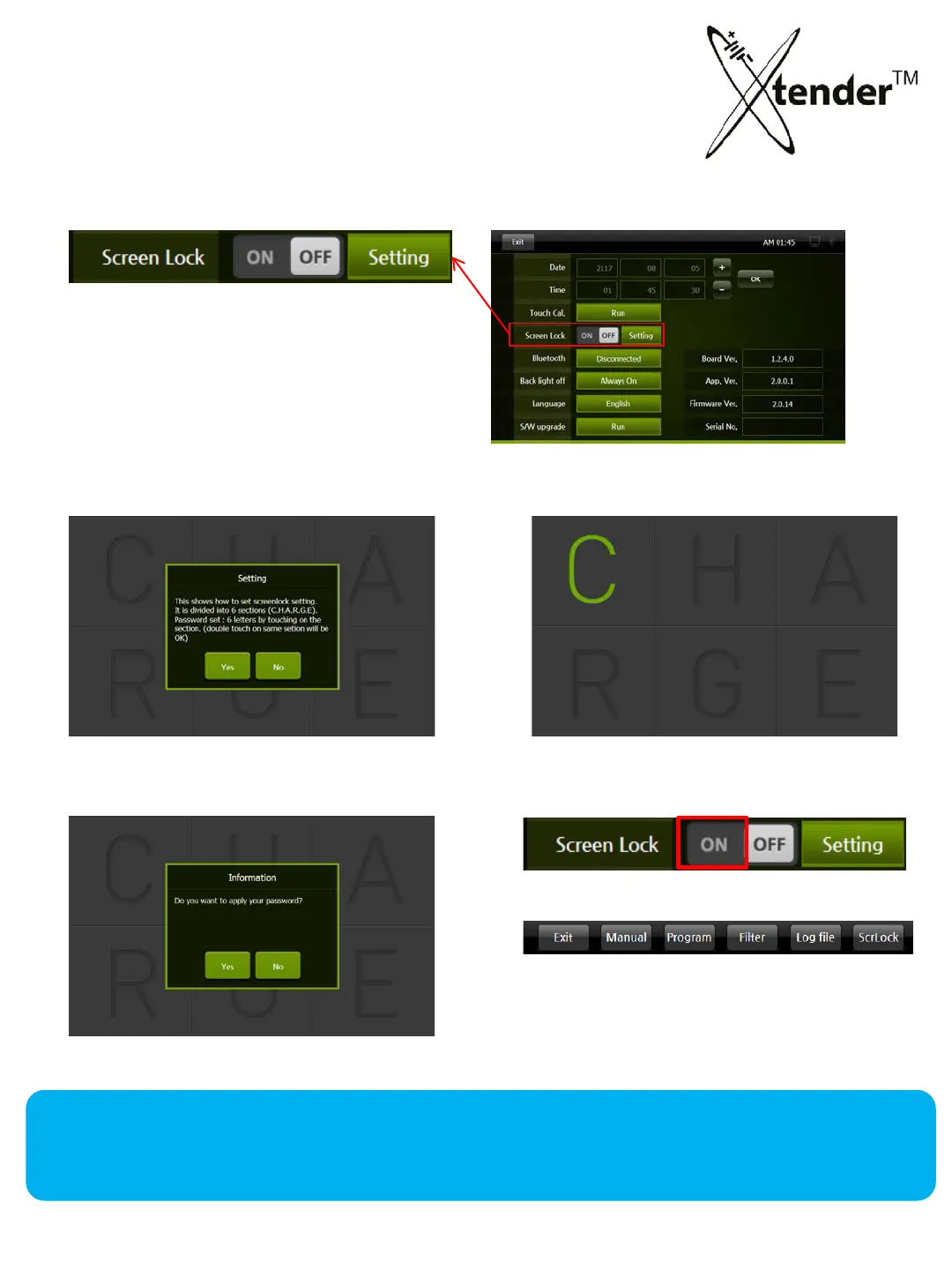
SETTING SCREEN – SCREEN LOCK
Screen Lock can protect Xtender from
unauthorized personnel changing
settings or operational data.
Any change without password will not be
permitted.
1) Touch “Setting”
2) Make Password with 6 letters from C,H,A,
R,G,E (example: CCHHAE or EGRAHC)
3) Set Password YES 4) Activate Screen Lock :OFF ON
• After 10 minutes it will be in effect.
• Screen Lock can be set directly from
the menu on Operation Screen.
When you forget the password or need urgent operation, you can power-off then power-on to
cancel Screen Lock and reset a password .
A forced power-off during operation could damage the units or cause problems in the battery.
28



 To Next Page