2. Operation (Restoration & Discharge)
OPERATION - MENUS
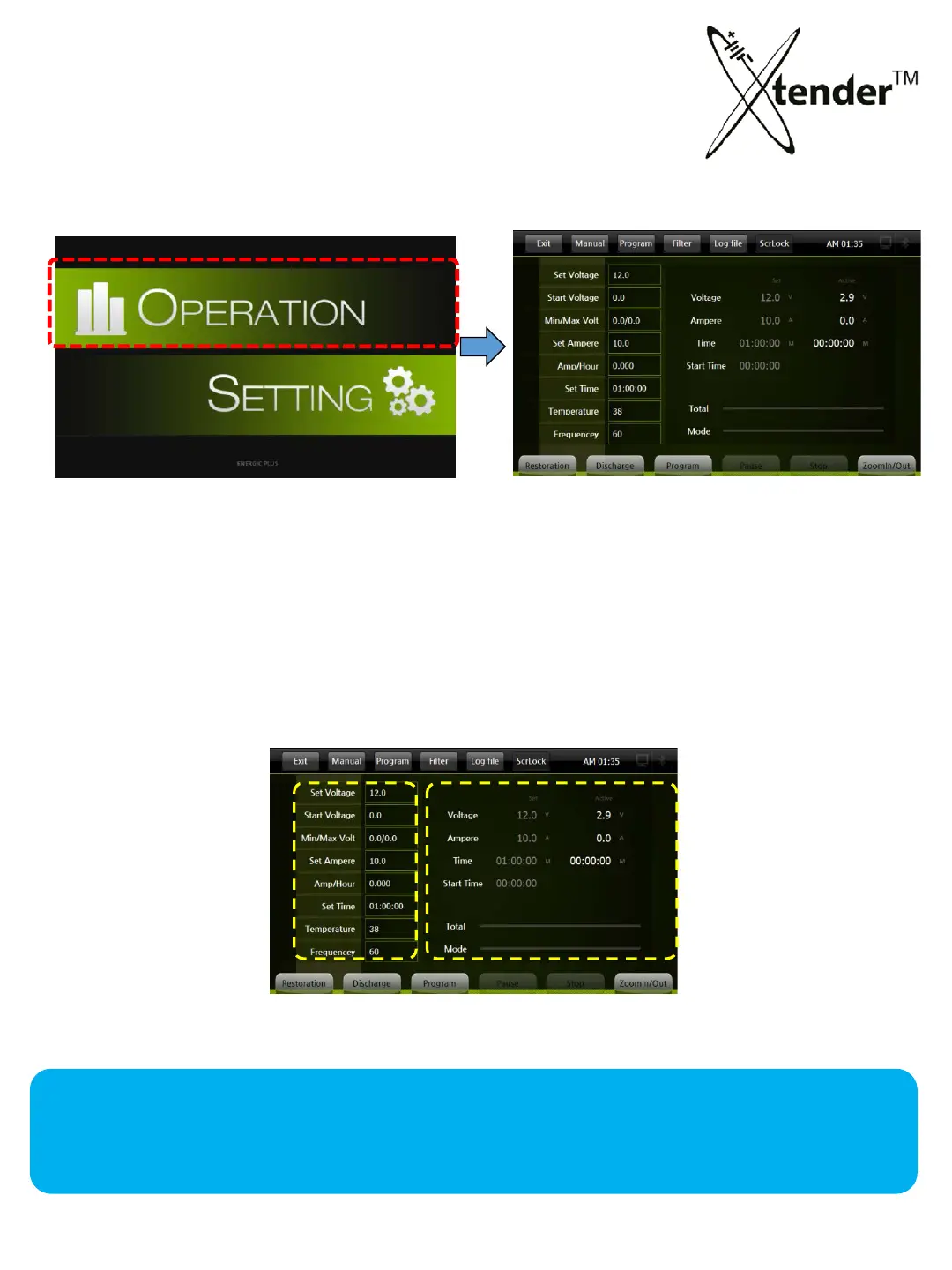
1) Select icon “OPERATION” on Main Screen
2) Move to the Operation Screen as above.
All set and measured data will be seen on the screen during operation of Xtender.
When touching any part of the “2” area, it will show the running information by
graph.
[Main Screen] [Operation Screen]
• Set : Set value
• Active : Active valu
e
C
urrent Voltage
Current Ampere
Charge/Discharge Time
Other information
1 2
1 2
• Set V :
• Start V :
• Min/Max V :
• Set A :
• Amp-Hour :
• Set
Time :
• Temp : present Temperature
• Freq. : input Frequency
OPERATION - SCREEN
[Operation Screen]
33



 To Next Page