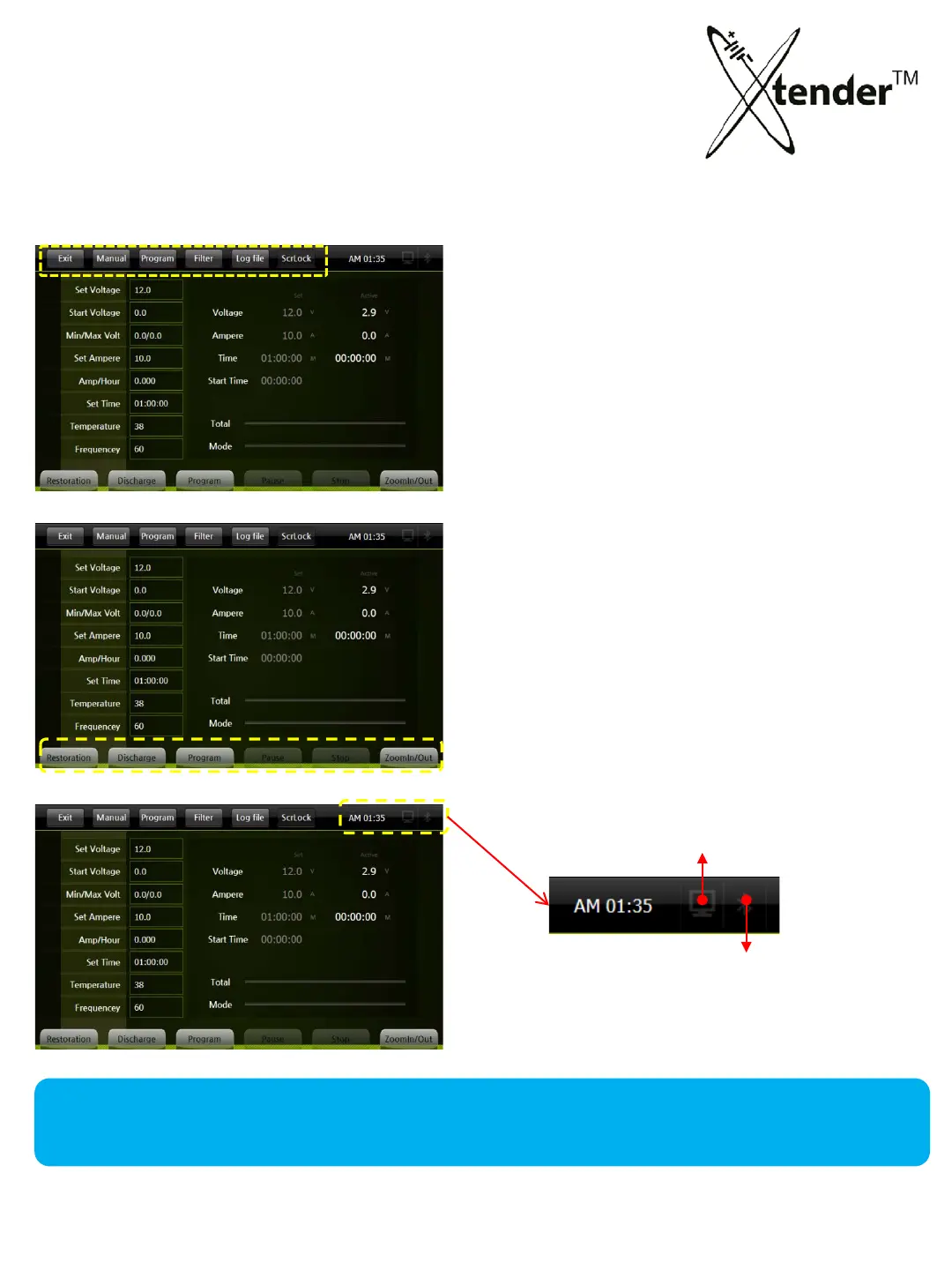
2. Operation (Restoration & Discharge)
BOTTOM MENU
① Restoration : Start Restoration in Manual mode
② Discharge : Start Discharge in Manual mode
③ Program : Go into Program mode
④ Pause : Temporarily Stop
⑤ Stop : Completely Stop
⑥ Zoom : Graphic mode for Zoom In/Out
OPERATION SCREEN - MENUS
Top menu of Operation is related to setup of each mode of Xtender operation.
Bottom menu of the Screen is related to the operation of Xtender mode.
TOP MENU
① Exit : Return to Main Screen
② Manual : Go into manual mode
③ Prog. : Go
into program mode
④ Fi
lter : Go into filter mode for graph
⑤ Log file : Bring the Log files saved
⑥ ScrLock : Activate/Inactivate Screen Lo
ck
①
②
③
④
⑤
⑥
① ②
③
④
⑤
⑥
Signal of Serial communication
Signal of Bluetooth communication
34



 To Next Page