2. Operation (Restoration & Discharge)
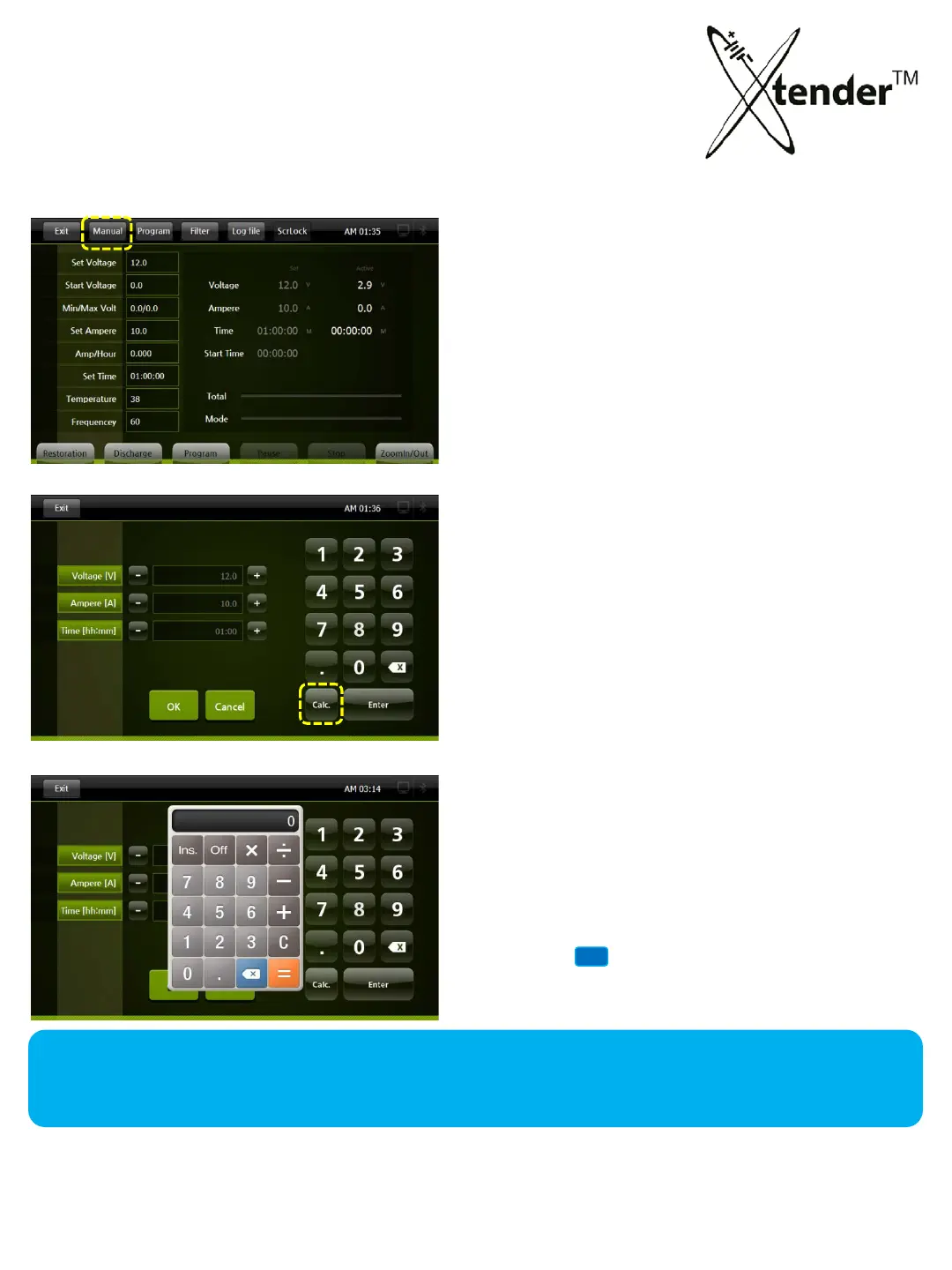
MANUAL MODE – SETTING VALUES
When you click “OK”, it will save the set data and return to operation screen.
When you click “Exit”, it will move to the operation screen without saving the set data.
Exit : Return to Operation Screen.
Calc : Calculator
Yo
u can calculate total “Voltage” for
Battery operation (Restoration & Discharge)
Calculator works only to set “Voltage”
① Click “Voltage”
② Click “Calc”. Calculator will pop up as picture.
③ Calculate the voltage by inp
utting the data.
④ Click INS, the
data will be put in.
Click “Manual” on Top menu
35



 To Next Page